


Mechanical keyboard switches play a crucial role in determining the typing experience for both gamers and typists. Among the many brands of mechanical switches, Cherry MX is renowned for its quality and performance. Established in the late 1980s, Cherry has become synonymous with high-end mechanical keyboard technology, and its MX series has garnered an impressive reputation over the years.
Cherry MX switches differentiate themselves through various types, each engineered to cater to specific preferences and uses. The range includes well-known options such as Cherry MX Blue, known for its tactile feedback and audible click, making it a favorite among typists who enjoy a pronounced response. On the other hand, Cherry MX Brown offers a softer tactile sensation without the click, appealing to those who desire a more subdued but still responsive experience.
| Actuation force | 80+15 gf |
|---|---|
| Pre-travel | 2+0.6 mm |
| Travel distance | 4+0.4 mm |
| Behavior | Tactile |
| Suitable for | Midway gaming/office |
| Feel/Sound | It is bumpy with heavy finger pressure required. Moderately loud. |
However, the Cherry MX Silent Red switch stands out as an intriguing offering within this lineup. Designed primarily for users seeking a quieter typing experience, the Silent Red variant minimizes the noise typically associated with mechanical switches. This characteristic has made it particularly desirable among individuals in shared workspaces or those who prefer a serene computing environment. Furthermore, each Cherry MX switch is engineered with durability in mind, with an expected lifespan of up to 50 million keystrokes, which enhances their appeal among both gamers and serious typists who invest in premium keyboards.
As we delve deeper into this guide, we will explore the specifics of Cherry MX Silent Red switches, examining their unique properties and why they may be the ideal choice for users looking for a perfect blend of performance and quiet operation. Understanding these switches is essential for anyone considering upgrading their mechanical keyboard experience.
What are Cherry MX Silent Red Switches?

Cherry MX Silent Red switches are a type of mechanical keyboard switch renowned for their unique combination of smooth actuation, low noise levels, and tactile performance. Unlike many traditional mechanical switches, which often feature an audible click or a tactile bump, the Cherry MX Silent Red provides a linear experience that is both quiet and responsive. This switch is particularly appealing to users who desire a peaceful typing environment, making it a popular choice for both office settings and home use.
The key mechanism of Cherry MX Silent Red switches is linear, meaning that the actuation occurs without the tactile feedback or sound associated with other switch types. Users will find that the actuation point is around 45g, which allows for a relatively effortless keystroke. This moderate actuation force ensures that prolonged typing does not lead to finger fatigue, making these switches ideal for long hours of use, whether for gaming or professional tasks.
One defining characteristic of the Cherry MX Silent Red switch is its built-in noise dampeners located at the top and bottom of the switch. These dampeners are designed to significantly reduce the noise generated during typing. When compared to other popular Cherry MX switches, like the Cherry MX Red or Brown, the Silent Red provides noticeably quieter operation while maintaining similar linear movement. This is particularly beneficial in environments where quietness is paramount, as it allows for uninterrupted concentration without disturbing others.
In summary, Cherry MX Silent Red switches present a notable option for typists and gamers who desire a blend of smooth action and reduced sound output. Their linear nature, combined with effective noise reduction features, sets them apart from other Cherry MX variants, making them a formidable choice in the realm of mechanical keyboards.
Benefits of Silent Red Switches
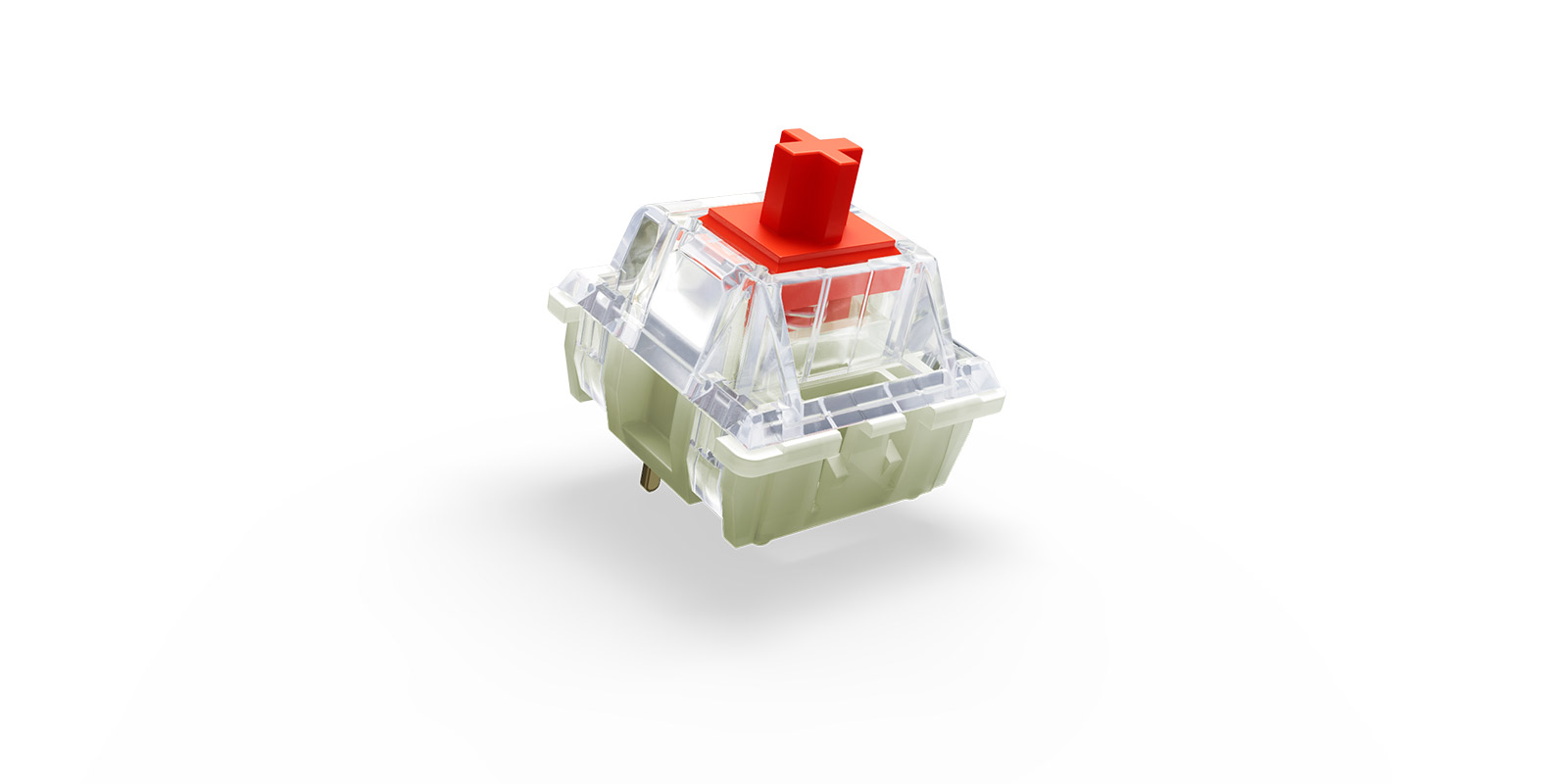
Cherry MX Silent Red switches are increasingly gaining popularity for their unique advantages, particularly among various user demographics including gamers and professional typists. One of the standout features of these switches is their reduced noise level, which makes them an ideal choice for environments where minimizing sound is crucial such as shared offices or quiet homes. This benefit is particularly significant for gamers who often play late at night or in shared spaces, as Silent Red switches allow for immersive gameplay without disturbing others.
Another advantage of Cherry MX Silent Red switches is their smooth and linear keypress. Unlike tactile or clicky switches, the Silent Red provides a fluid motion, which many typists appreciate for reducing finger fatigue during prolonged typing sessions. This characteristic enhances the overall typing experience, allowing for faster and more efficient input, making them particularly appealing for office workers who type frequently throughout the day.
Durability is another critical factor where Cherry MX Silent Red switches shine. With the capability of lasting up to 50 million keystrokes, these switches are designed to withstand considerable wear and tear, ensuring a long lifespan. This robustness means that users can expect consistent performance over time, alleviating concerns regarding the need for frequent replacements. Furthermore, the responsiveness of these switches contributes to a satisfying typing experience, providing tactile feedback that some users find important for accuracy.
In addition to these benefits, the Cherry MX Silent Red switches are also compatible with a wide range of mechanical keyboards, allowing users to customize their setups to their preferences. Overall, the combination of quiet operation, smooth performance, durability, and compatibility positions Silent Red switches as a compelling option for a diverse array of users.
Comparing Cherry MX Silent Red with Other Switches
The Cherry MX Silent Red switches are often compared to other variants in the Cherry MX family, such as the Blue and Brown switches, each of which possesses unique characteristics suited to varied user preferences. Understanding these differences is essential for keyboard enthusiasts and casual users alike, as it helps in selecting the right switch for one’s typing or gaming experience.
Starting with the sound level, Cherry MX Silent Red switches are designed to be quiet, making them ideal for environments where noise is a concern. Unlike the Blue switches, which are known for their distinctive clicky sound, the Silent Red switches operate smoothly and silently, appealing to those who prioritize a quieter workspace. The Brown switches fall somewhere in between, offering a soft tactile bump without the audible click, thus providing a pleasant experience while still being relatively quiet.
When it comes to tactile feedback, the differences are evident. The Cherry MX Blue switches are characterized by a pronounced tactile bump and audible click upon actuation, which can aid in typing accuracy for some users. This tactile feedback can be preferred by typists who enjoy the sensation of confirmation with each keystroke. Conversely, the Brown switches offer a mild tactile feedback without the loud click, making them suitable for a variety of applications, balancing between typing comfort and silent operation. The Silent Red switches, however, offer no tactile feedback, meaning users experience a smooth keystroke without disturbance, ideal for gamers or those who engage in long typing sessions without distractions.
Finally, in terms of actuation force, all three variants are fairly similar, with Cherry MX Silent Red requiring an actuation force of about 45g, the Brown at a similar threshold, while the Blue typically requires a slightly higher force due to its click mechanism. Understanding these nuances helps users align their switch choice with their specific needs, preferences, and working conditions.
Ideal Use Cases for Cherry MX Silent Red Switches
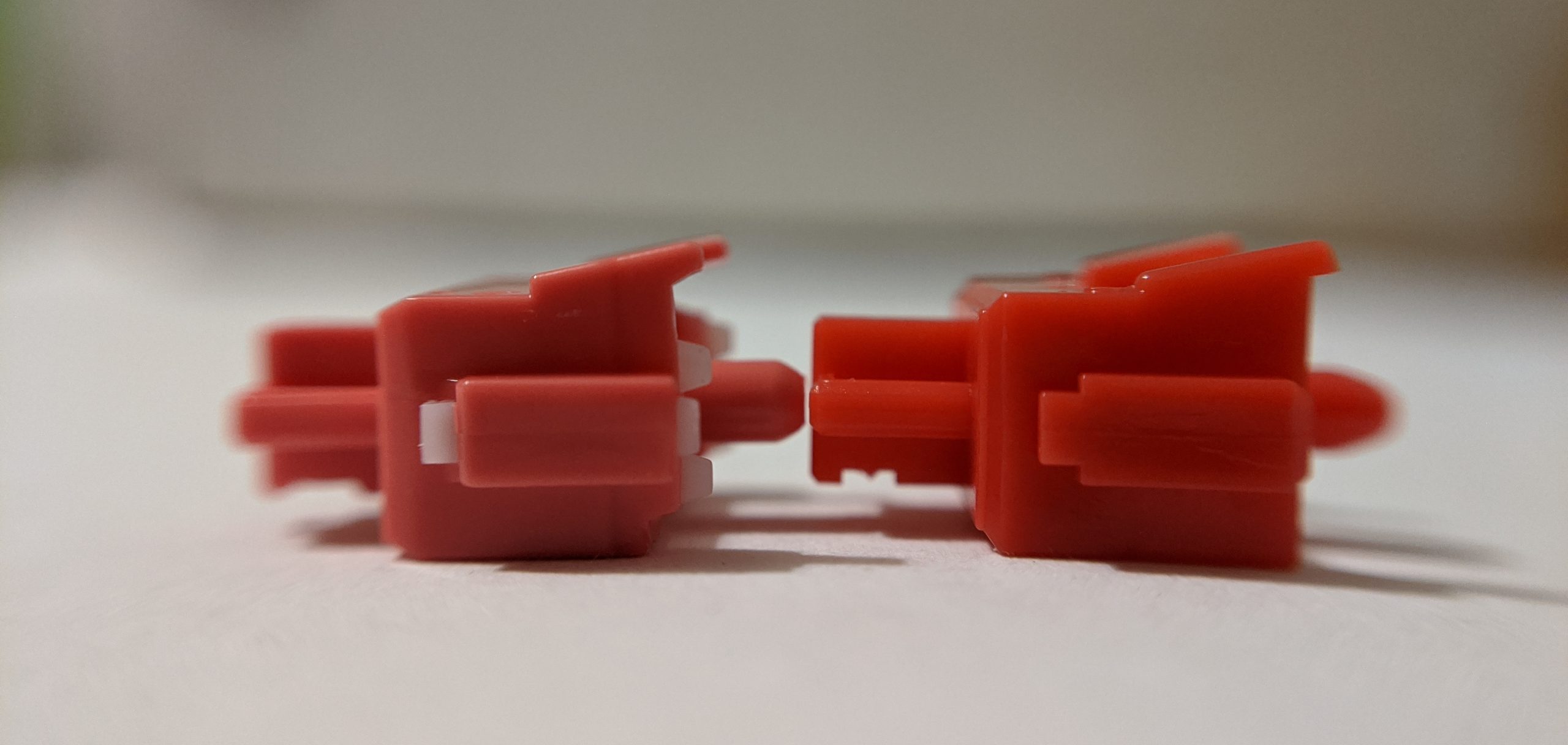
Cherry MX Silent Red switches are renowned for their exceptional quietness and smooth linear action, making them an excellent choice for a variety of scenarios. One of the most prominent use cases is within office environments, where noise reduction can enhance concentration for all employees. In a shared workspace or open office design, the soft actuation of the Silent Red switches translates to minimal distraction, allowing colleagues to focus on their tasks without the interruption of clicky key sounds prevalent in other mechanical switches.
Moreover, gaming setups also benefit significantly from these switches. Gamers often require a quick response time paired with a silent operation to maintain a competitive edge without disturbing others in a shared space. The linear characteristics of the Silent Red switches mean that key presses register without a tactile bump, allowing for seamless rapid keystrokes. This fluid movement is particularly advantageous in fast-paced gaming genres where every millisecond counts.
In addition to gaming and office work, Cherry MX Silent Red switches are a favorable option for casual typing. For individuals who engage in extended writing sessions, the noise-free operation can contribute to a more comfortable experience, especially when typing in quiet settings, such as libraries or late-night study sessions. The absence of audible feedback can also be pleasant for those who prefer a more subdued typing experience, making them suitable for creative writing, coding, or general correspondence.
Overall, the versatility of Cherry MX Silent Red switches makes them ideal for a range of uses across different environments. Their unique attributes allow users to enjoy the benefits of mechanical switches without the associated noise, catering to both professional and recreational needs alike.
User Experiences: Testimonials and Reviews

Users of Cherry MX Silent Red switches have expressed a mixed bag of experiences, illustrating both the strengths and drawbacks of these mechanical keyboard switches. Primarily favored for their quiet operation, many typists have reported a noticeable reduction in noise compared to other mechanical switches, making them suitable for shared workspaces where sound levels matter. “I appreciate how silent they are, allowing me to type away without disturbing my colleagues,” shared one office worker. This sentiment resonates particularly well with those who use their keyboards extensively for long hours.
Gamers also find a lot to love about Cherry MX Silent Red switches. The smooth key travel and reduced actuation force enable rapid inputs, enhancing performance during high-paced gaming sessions. One gamer noted, “The quick response time of these switches really improved my gameplay, and I can click away without the disruptive clacking noise.” This feature gives players a competitive edge, particularly in genres that require quick reflexes and precise movements.
However, not all feedback has been overwhelmingly positive. Some users, particularly mechanical keyboard enthusiasts, express a desire for more tactile feedback than what Silent Reds offer. A reviewer remarked, “While the silence is great, I miss the satisfying click of traditional switches like the Blue or Brown. It feels a bit too soft for my liking.” Additionally, those transitioning from louder switches may find it challenging to adjust to the more subtle response of the Cherry MX Silent Reds, which might initially feel unresponsive.
In conclusion, the Cherry MX Silent Red switches cater to a range of users from typists seeking a quieter work environment to gamers looking for smooth performance. The divide in preference highlights individual needs and the importance of personal experience when it comes to choosing mechanical keyboard switches.
Installation and Compatibility
Installing Cherry MX Silent Red switches requires a moderate level of technical skill, particularly for individuals who may not have previous experience with mechanical keyboard customization. The first step in the installation process involves identifying the keyboard for which the switches will be used. Most keyboards that utilize Cherry MX switches will typically be compatible with the Silent Red variant; however, it is crucial to verify compatibility with the specific keyboard brand and model, as there are some exceptions.
Before beginning installation, ensure that you have the necessary tools, which typically include a switch puller and a keycap puller. Begin by removing the existing keycaps by gently prying them upwards using the keycap puller. After removing the keycaps, you will need to remove the switches themselves. Utilizing the switch puller, grasp the switch and pull it out of the PCB, ensuring that you do not apply excessive force as this could damage the board.
After the old switches have been removed, it’s time to install the Cherry MX Silent Red switches. Align each switch’s pins with the corresponding holes in the PCB and press down gently until they are securely mounted. It is recommended to test the implementation by reconnecting the keyboard and ensuring that each switch registers correctly. This testing can help identify any issues before finalizing the installation by adding back the keycaps.
Furthermore, users should consider the overall design of their keyboard when selecting switches. While Cherry MX switches typically have a standard size, some keyboards may require specific switch heights or mounting types (for example, plate-mounted vs. PCB-mounted). It is beneficial to consult the manufacturer’s specifications or community forums for advice tailored to your keyboard model. This guidance will help ensure that your new Cherry MX Silent Red switches provide an optimal typing experience, balancing the quiet operation you seek with full compatibility.
Maintenance and Care

To ensure the longevity and optimal performance of Cherry MX Silent Red switches, regular maintenance and care are paramount. One of the most important aspects of maintaining a mechanical keyboard is cleanliness. Dust and debris can accumulate over time, potentially affecting the switches’ responsiveness. It is advisable to clean your keyboard regularly using a can of compressed air to blow away loose debris. Additionally, a damp microfiber cloth can be used to wipe down the keyboard surface, ensuring that grime does not build up.
When cleaning, be cautious not to apply excessive moisture, as this can seep into the switches and damage the internal components. For deeper cleaning, you can remove the keycaps using a keycap puller. Once the keycaps are off, you can thoroughly clean the switches and the keyboard plate. If necessary, the keycaps can be soaked in warm, soapy water, rinsed, and air-dried before reattachment.
Another crucial aspect of maintaining Cherry MX Silent Red switches is handling practices. It is essential to avoid banging the keys excessively, as this can lead to wear over time. When typing, a gentle touch is recommended, especially considering the silent nature of these switches. Furthermore, proper storage of your keyboard when not in use can mitigate exposure to dust and allergens. Consider using a dust cover to protect your investment.
Finally, general advice includes maintaining the environment where the keyboard is used. Avoid settings with high humidity or extreme temperatures, as these can adversely affect the switches. By following these maintenance and care tips, users can ensure that their Cherry MX Silent Red switches remain in excellent condition, contributing to the overall lifespan of the mechanical keyboard.
Conclusion: Are Cherry MX Silent Red Switches Right for You?
In assessing whether the Cherry MX Silent Red switches are a suitable choice for your mechanical keyboard, it is essential to recap the key attributes discussed throughout this guide. Cherry MX Silent Red switches offer a unique combination of quiet operation and responsive performance, making them particularly appealing for users who seek a quieter typing experience without sacrificing tactile feedback. Their linear actuation means that key presses are smooth and consistent, which can enhance both gaming and typing experiences.
Moreover, one of the most significant advantages of the Cherry MX Silent Red switches lies in their reduced noise levels. This makes them ideal for shared workspaces or environments where maintaining a quiet atmosphere is crucial. If you often find yourself in a setting that prioritizes minimal sound, these switches may perfectly suit your needs.
However, potential users should also consider their personal typing habits and preferences. If you are accustomed to tactile feedback and enjoy the auditory cues associated with traditional mechanical switches, you may find the silent functionality of the MX Silent Red switches to be a departure from your typical experience. It is essential to weigh the need for noise reduction against the tactile satisfaction that other switches provide.
Ultimately, the decision should be based on your individual requirements and typing environment. By reflecting on how you use your keyboard—be it for gaming, work, or general daily tasks—you can determine if the Cherry MX Silent Red switches align with your preferences. Understanding these factors will guide you in making a well-informed decision regarding the best switch for your mechanical keyboard setup.


