


Gaming mouse sensors play a crucial role in enhancing gaming performance and user experience. They are responsible for detecting movement and translating it into cursor movements on the screen, enabling gamers to execute commands with precision. Given the importance of accurate tracking in fast-paced gaming environments, understanding gaming mouse sensors is essential for choosing the right equipment and optimizing performance.
There are two primary categories of gaming mouse sensors: optical and laser. Optical sensors use a light-emitting diode (LED) to illuminate the surface and determine movement based on the reflection received. They are known for their precision on most surfaces and generally offer lower lift-off distances, making them ideal for gamers who prefer swift, reactive gameplay. Optical sensors have gained popularity among professional gamers due to their consistency and accuracy.
On the other hand, laser sensors utilize laser light to detect movement, allowing them to function effectively on a wider variety of surfaces, including glossy and transparent materials. This versatility makes laser sensors appealing to certain users, as they can operate on almost any surface. However, some gamers may experience issues such as acceleration, which can lead to inaccuracies in their gameplay.
Testing gaming mouse sensors is a critical process for determining their capabilities and effectiveness in real-time gaming scenarios. By evaluating factors such as DPI (dots per inch), polling rate, and lift-off distance, gamers can ensure that their chosen mouse meets performance standards tailored to their specific gaming styles.
In conclusion, understanding the different types of gaming mouse sensors and their implications on performance is vital for gamers seeking to enhance their competitive edge. Selecting the appropriate sensor type can foster improved control and responsiveness, ultimately enriching the gaming experience.
Understanding Mouse DPI and Polling Rate
In the realm of gaming mice, two critical specifications often discussed are DPI (dots per inch) and polling rate. Both parameters play a pivotal role in determining a mouse’s performance, sensitivity, and overall accuracy, thus affecting the user’s gaming experience.
DPI, or dots per inch, is a measure of how far the cursor on the screen moves relative to the physical movement of the mouse. A higher DPI means that the cursor will move further on the screen with less physical movement of the mouse. For example, a mouse with a DPI of 1600 will move the cursor 1600 pixels for every inch it is moved physically. This sensitivity is crucial in gaming, particularly in fast-paced shooters where precision is key. Most modern gaming mice offer adjustable DPI settings, allowing users to customize their sensitivity based on their personal preference or specific game requirements.
On the other hand, polling rate refers to how often the mouse reports its position to the computer, measured in Hertz (Hz). A standard polling rate is usually 125Hz, meaning the mouse sends updates every 8 milliseconds. Gaming mice often feature higher polling rates, such as 500Hz or 1000Hz, allowing for more frequent updates. This increased rate enhances cursor accuracy and responsiveness, reducing lag and ensuring a smooth gaming experience. For gamers, particularly those engaged in competitive eSports, a higher polling rate can provide that critical edge by delivering instantaneous feedback during gameplay.
In summary, understanding DPI and polling rate is essential for maximizing the effectiveness of a gaming mouse. These factors not only influence sensitivity and accuracy but also contribute significantly to a player’s performance in a wide range of gaming scenarios. A careful balance between appropriate DPI settings and a high polling rate can lead to a more enjoyable and competitive gaming experience.
Necessary Equipment for Testing
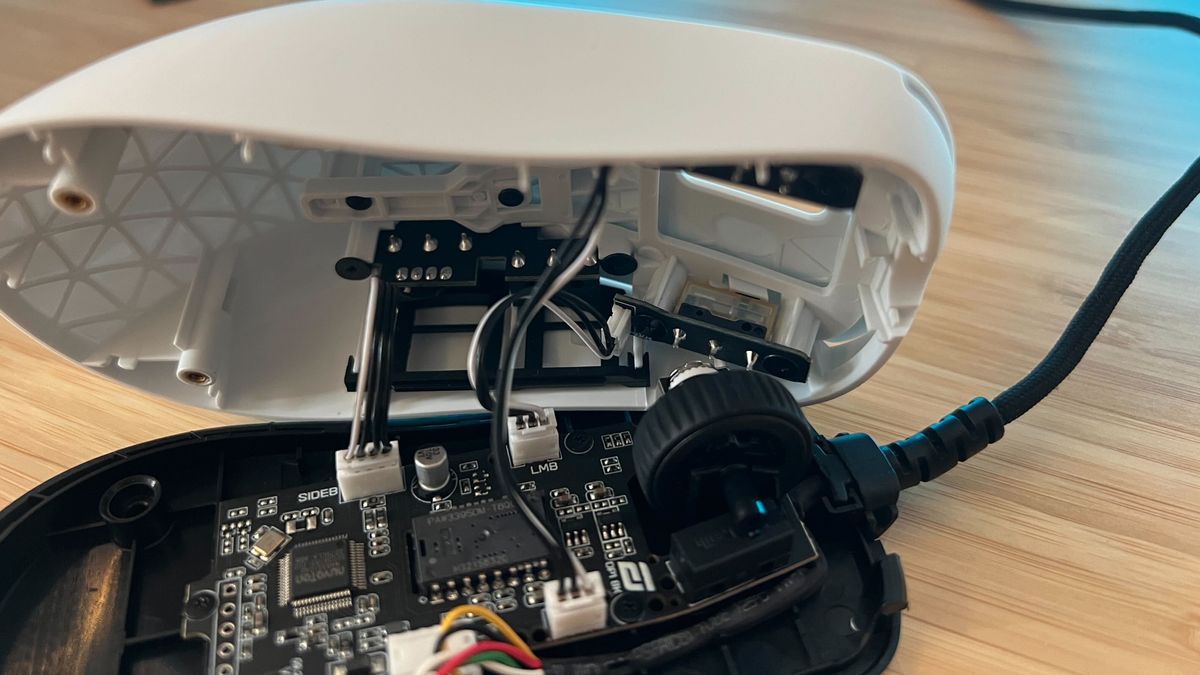
Testing a gaming mouse sensor requires a variety of essential tools and equipment to ensure accurate results. One of the primary items needed is a quality mousepad. The surface of the mousepad can significantly influence the performance of the mouse sensor, impacting accuracy and response time. It is recommended to use a mousepad that is compatible with optical and laser sensors to gauge various conditions effectively.
Furthermore, software tools specifically designed for mouse testing are integral to this process. These include mouse tester applications that can track movement, measure DPI (dots per inch), and analyze polling rates. Popular examples are tools like MouseTest or TIXA, which provide detailed metrics on sensor performance. Such software can assist users in identifying the precision and accuracy of their gaming mouse while facilitating comparisons among different models.
In addition to the mousepad and software, having an appropriate gaming setup is also crucial for testing. This includes a reliable computer system that maintains a consistent performance level throughout the testing phase. Ensure that the display settings and refresh rates are optimized for gaming to replicate low-latency environments. Also, consider using a high-quality monitor that can provide a clear representation of the mouse’s performance, aiding in real-time evaluations.
Lastly, lighting conditions in the testing area can also affect the results, particularly with optical sensors that rely on specific light conditions. Conducting tests in a controlled environment with adequate lighting can ensure that the readings remain reliable. By gathering these tools—mousepad, software solutions, and enhancing the gaming setup—you will be well-prepared to thoroughly assess the performance of a gaming mouse sensor.
Creating an Optimal Testing Environment
To ensure accurate evaluations of a gaming mouse sensor, it is essential to establish an optimal testing environment. Several factors contribute to the reliability of test results, including lighting conditions, surface types, and potential distractions.
Firstly, controlling the lighting conditions is crucial. Ideally, the testing area should have consistent, natural lighting without reflections or glare. Overhead lighting can create shadows and highlight areas on the mouse pad that could skew results. For best outcomes, consider using diffused lighting from one direction, or conduct tests in a room with soft, indirect natural light. If available, consider using a light-absorbing mouse pad which minimizes background interference during testing.
Secondly, selecting the appropriate surface type plays a significant role in sensor performance. Gaming mouse sensors are sensitive to various textures, which can affect tracking accuracy. Typically, a smooth, non-reflective surface is preferred, but this can vary depending on the mouse sensor technology, whether it be optical or laser. It is advisable to test on different surfaces to identify which yields the most responsive performance for the specific mouse in question. Testing should include materials such as fabric mouse pads, hard surfaces, and even DIY setups with plain paper or a cardboard surface.
Finally, reducing distractions is critical for a focused testing environment. Background noises, interruptions, or visual distractions can influence the user’s handling of the gaming mouse and may inadvertently impact the results. It is recommended to conduct tests in a quiet, isolated space where the user can fully concentrate on the performance of the mouse sensor without external inducements. Taking these factors into account will significantly enhance your ability to gauge the precision and effectiveness of the gaming mouse sensor being tested.
Using Software Tools for Testing
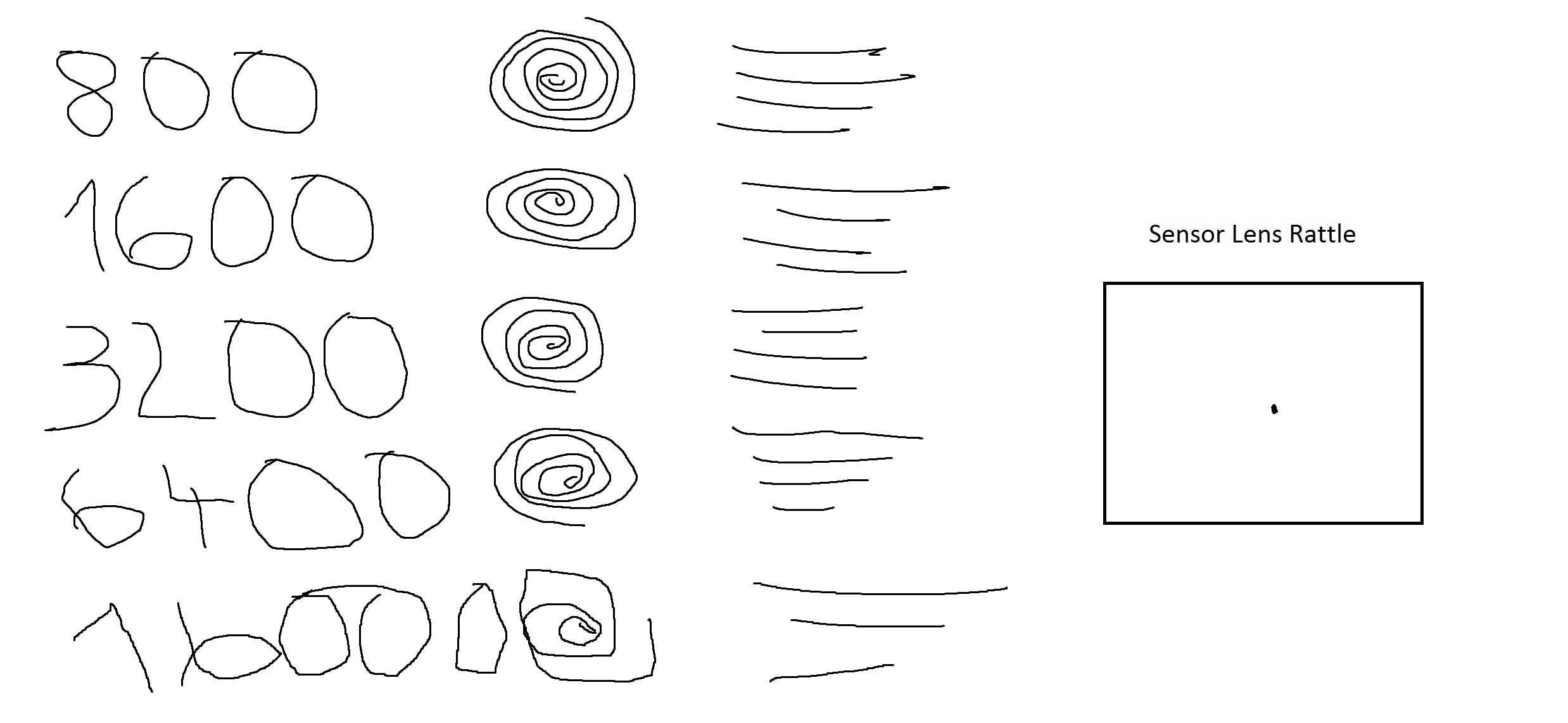
When it comes to testing a gaming mouse sensor, software tools can be instrumental in accurately measuring performance variables such as tracking speed, acceleration, and precision. Several popular applications are tailored for this purpose, providing gamers with the insights required to optimize their gaming experience.
One widely-used tool is Mouse Tester. This software is designed to analyze various features of gaming mouse sensors, including their DPI (dots per inch) settings and polling rates. To utilize Mouse Tester, users need to download and install the application. Once installed, the mouse can be tested by moving it across the screen while the software records the movement path. The visual representation of the mouse movement will help identify any inconsistencies or lag in the sensor’s performance.
Another notable software tool is Mouse Accuracy Checker, which allows users to verify the precision of their mouse movements. This software offers various tests, including static and dynamic tracking assessments. Users can set up scenarios that require both aiming and free-movement tests to evaluate how well the mouse responds to user commands. Simply install the application, follow the on-screen instructions, and take note of your performance in various scenarios.
Some manufacturers also provide proprietary software for their gaming mice, such as Logitech Gaming Software or Razer Synapse. These applications come with built-in features to assess sensor performance and customize settings. Users can monitor DPI adjustments, polling rates, and perform surface calibration through these interfaces, ensuring they are getting the most accurate readings from their gaming mouse. By leveraging these software tools, gamers can comprehensively test and optimize their gaming mouse sensors for maximum performance.
Manual Testing Techniques for Gaming Mouse Sensor Evaluation
To effectively gauge the performance of a gaming mouse sensor, several manual testing techniques can be employed. These methods help in determining key aspects such as tracking accuracy, speed sensitivity, and overall adaptability to various gaming environments.
One of the primary methods is the tracking accuracy test. This can be conducted by moving the mouse in a variety of predefined paths on a mousepad. By using a ruler or a straight edge, users can assess whether the cursor accurately follows the intended path. To perform this test, draw straight lines on a sheet of paper and attempt to move the mouse along these lines. Any deviation from the intended path indicates issues with the sensor’s tracking abilities.
Next, speed check tests are crucial for evaluating the sensor’s responsiveness at different speeds. This can be done employing accelerated movements across the mousepad. By swiftly dragging the mouse across varying speeds, it is essential to observe whether the cursor keeps up with the movement. A responsive sensor should not exhibit any lag, allowing players to execute swift maneuvers required in competitive gaming.
Adjusting sensitivity settings can also provide insight into the sensor’s performance. Most gaming mice come equipped with adjustable DPI settings, ranging from low to high sensitivity. Users can cycle through these settings during games or while using the desktop, noting how well the cursor responds to gradual changes in movement. A well-calibrated sensor should deliver consistent performance across all sensitivity settings, without any noticeable delays or irregularities.
Employing these manual testing techniques will give gamers valuable insights into the performance of their gaming mouse sensors, equipping them with the knowledge necessary to make informed decisions about their equipment.
Analyzing Test Results
After conducting thorough testing of a gaming mouse sensor, the next critical step is to analyze the results obtained. This process involves interpreting the data to determine the sensor’s overall performance and to flag any potential issues that may affect usability during gaming or other tasks.
A good gaming mouse sensor should exhibit accuracy and consistency across various surfaces and movements. One key metric to consider is DPI (dots per inch), as this measurement indicates the sensitivity of the mouse. Higher DPI settings typically translate to faster pointer movement, allowing for swift navigation and precise targeting in high-stakes gaming scenarios. However, it is essential to find a balance, as extremely high DPI may cause a lack of control, leading to erratic movements.
Additionally, look for performance indicators such as tracking speed and lift-off distance. Tracking speed refers to the maximum speed at which the mouse can accurately read movement; a higher tracking speed suggests better sensor capability. Lift-off distance pertains to how far the sensor can recognize movement above the surface; ideally, this distance should be minimal, enhancing gaming precision without accidental cursor movements.
Examining the test results for jitter and angle snapping is also vital. Jitter refers to erratic movements that can occur when the sensor struggles to translate movements accurately, while angle snapping can lead to unintended straight lines during diagonal movements. Both issues can severely impact performance and user experience.
In summary, analyzing the data gathered from gaming mouse sensor tests allows for informed decisions. By understanding the key performance metrics and their implications, users can identify reliable sensors tailored to their gaming preferences, ensuring an optimal experience in competitive environments.
Common Issues with Gaming Mouse Sensors and Solutions

Gaming mouse sensors are crucial for a seamless gaming experience, yet they can present various challenges that impact performance. One common issue gamers face is jittering. This phenomenon can occur when the mouse movement does not translate accurately on-screen, resulting in erratic cursor movement. This problem can arise due to a dirty sensor or a poorly tracked surface. To resolve this, ensure that the sensor is clean by using a microfiber cloth to wipe away any dust or debris. Moreover, using a proper mouse pad designed for gaming can enhance tracking and prevent jittering.
Another frequent concern is drops in sensitivity. Gamers often set up their mice to operate at specific DPI settings, and sudden drops can hinder gameplay. This issue can result from many factors, including overheating, poor cable management, or low battery levels in wireless models. If you experience sensitivity drops, check the connection and ensure that the mouse is not obstructed. Additionally, consider updating the mouse firmware or adjusting the DPI settings through the respective gaming software, as certain configurations might lead to fluctuating sensitivity.
Acceleration problems can also affect gameplay, where the cursor moves differently based on the speed at which the mouse is moved. This can prevent gamers from achieving precise movements required in competitive scenarios. To address this, it is recommended to disable mouse acceleration through the operating system settings or gaming software. By setting a consistent DPI and turning off acceleration, gamers can ensure that their mouse movements are consistently reflected on-screen without unintended speed influences.
By identifying these common sensor issues and applying the recommended solutions, gamers can significantly enhance their gaming experience, leading to improved precision and satisfaction during gameplay.
Conclusion: Making the Right Choice in Gaming Mice
Testing a gaming mouse sensor is an essential step for any serious gamer looking to enhance their performance. As gaming continues to evolve, the quality and precision of your equipment can significantly influence your gameplay experience. A gaming mouse equipped with a superior sensor can provide better tracking, responsiveness, and accuracy, all of which are critical for competitive gaming.
By engaging in thorough testing of a gaming mouse’s sensor, one can determine how well it performs across various surfaces and in different settings. This practice helps gamers identify whether a particular mouse meets their specific needs and preferences. For instance, a sensor’s DPI (dots per inch), lift-off distance, and acceleration capabilities can vary widely between models. Understanding these specifications allows players to choose a mouse that complements their gaming style—whether it be fast-paced first-person shooters or strategic role-playing games.
Ultimately, the right gaming mouse can make a significant difference in achieving precision and expression in gameplay. An informed choice grounded in thorough testing ensures that gamers invest in a device that not only aligns with their preferences but also enhances overall performance. With the plethora of options available on the market, taking the time to test and compare different mouse sensors can lead to a more satisfying and successful gaming experience. By focusing on these critical aspects, gamers can elevate their skills and fully enjoy the immersive world of gaming.


