


Imagine this: You are typing a letter. Suddenly, one key stops working. It’s stuck! What do you do? Don’t worry. We are here to help.
Why Keys Get Stuck
Keys can get stuck for different reasons. Dust is a common cause. Food crumbs can also cause issues. Sometimes, liquid spills can make keys sticky. Knowing the reason helps you fix it.
First Steps to Take
Start by checking the key. Is anything visible? If yes, try to remove it. Use a small brush or cotton swab. Be gentle. You don’t want to damage the key.
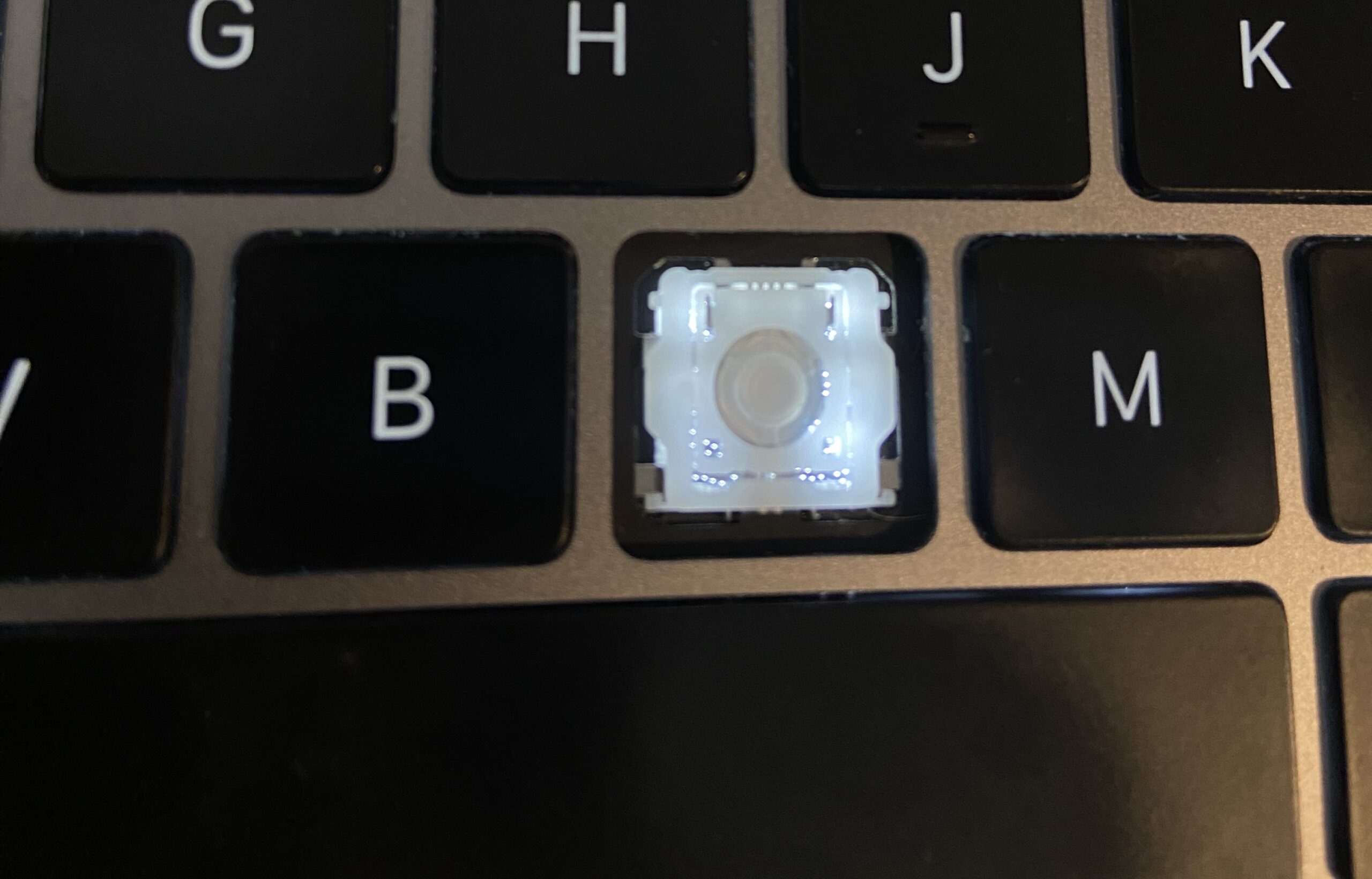
Credit: osxdaily.com
Turn Off the Computer
Before working on the keyboard, turn off the computer. This keeps you safe. It also prevents accidental typing.
Cleaning the Keyboard
Cleaning can help. Use compressed air to blow away dust. Hold the can at an angle. Spray in short bursts. This method is very effective.
Credit: askleo.com
Removing the Key
Sometimes, you need to remove the key. Use a flat tool. A butter knife works well. Slide it under the key. Lift gently. Do not force it. You could break the key.
Cleaning Under the Key
Once the key is off, clean underneath. Use a damp cloth. Make sure it is not too wet. Wipe the area. Dry it with a clean towel. Now, put the key back.
Testing the Key
Turn on the computer. Test the key. Is it working? If yes, great! If not, try again. You may need to repeat the steps.
When to Seek Help
If the key still sticks, ask for help. Sometimes, the problem is inside. A professional can fix it. They have the right tools.
Preventing Future Problems
Prevention is important. Keep food and drinks away. Clean your keyboard often. Use a cover. It protects against dust and spills.
Quick Summary
- Check the key for visible debris.
- Turn off the computer before cleaning.
- Use compressed air for dust.
- Remove and clean the key gently.
- Seek professional help if needed.
- Prevent future problems with regular care.
Frequently Asked Questions
How Do I Fix A Stuck Keyboard Key?
Clean around the key. Use compressed air. Remove debris gently.
What Causes A Keyboard Key To Stick?
Dirt, dust, or crumbs can cause keys to stick. Regular cleaning helps prevent this.
Can I Remove A Key To Fix It?
Yes, but be gentle. Use a small tool. Clean underneath carefully.
Is It Safe To Clean A Keyboard With Water?
No, avoid water. Use a damp cloth or alcohol wipes. Keep it dry.
Conclusion
Stuck keys are annoying. But you can fix them. Follow these steps. Your keyboard will be good as new. Remember to care for it. This prevents issues later.
We hope this guide helps you. Happy typing!


