

Many people use iPhones every day. They type messages, emails, and search online. Sometimes, the keyboard feels too small. Tiny buttons can be hard to press. Mistakes happen easily. Is there a way to make the keyboard bigger? Yes, there is!
Why Make the Keyboard Bigger?
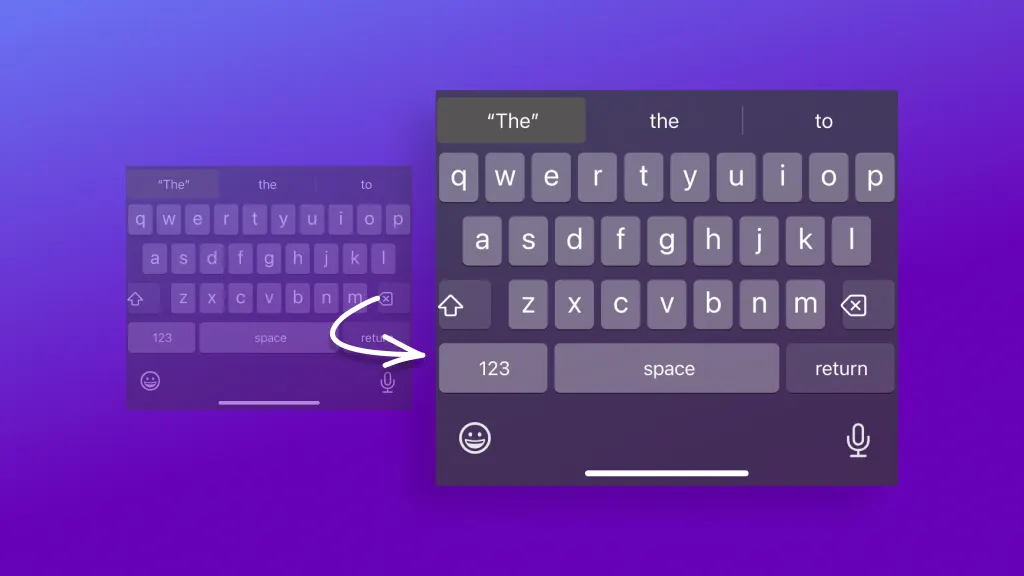
A bigger keyboard helps in many ways. It makes typing easier. Less mistakes happen. Your fingers find the right keys quickly. It’s great for people with big fingers. Or for those who struggle with small screens.
Simple Steps to Make Keyboard Bigger
Apple understands this need. They offer features to help. Let’s explore how you can make the keyboard bigger.
Using Display Zoom
Display Zoom is a handy tool. It makes everything on the screen bigger. This includes the keyboard. Here is how you can use it:
- Go to Settings on your iPhone.
- Find and tap Display & Brightness.
- Tap View under the Display Zoom section.
- Select Zoomed.
- Tap Set to apply changes.
Now, the keyboard is larger. It should be easier to use. This change also affects other apps and icons. They will be bigger too.
Third-party Keyboard Apps
Another option is using third-party keyboard apps. Some apps offer bigger keys. They are easy to download and use. Popular apps include Gboard and SwiftKey.
Here’s how to get them:
- Open the App Store on your iPhone.
- Search for Gboard or SwiftKey.
- Download the app you prefer.
- Go to Settings.
- Tap General.
- Select Keyboard.
- Tap Keyboards.
- Choose Add New Keyboard.
- Select the app you downloaded.
Now, you can use a larger keyboard with more features. These apps often offer customization options. You can change colors and layouts. This makes typing fun and comfortable.
Using Accessibility Features
Accessibility features are great. They help people with different needs. Apple includes several in the iPhone. These features can make your keyboard larger.
Let’s see how:
- Go to Settings.
- Tap Accessibility.
- Select Display & Text Size.
- Turn on Larger Text.
- Adjust the text size slider.
This makes the text bigger. The keyboard also adjusts. It’s easier to see and use. These features make the iPhone more user-friendly.

Credit: www.youtube.com
Benefits of a Bigger Keyboard
There are many benefits to having a bigger keyboard. It improves typing speed. Less time spent fixing errors. It increases confidence. You feel comfortable typing long messages.
Better Visibility
A bigger keyboard means bigger buttons. You see them clearly. This helps people with vision difficulties. It’s also helpful in bright sunlight.
Reduced Mistakes
Typing mistakes happen often. Especially on small keyboards. A bigger keyboard reduces errors. You hit the right keys more often. This saves time and frustration.
Enhanced Comfort
Comfort is important. A bigger keyboard feels better to use. Your hands relax. Typing becomes less tiring. You enjoy using your phone more.
Credit: www.asurion.com
Frequently Asked Questions
How Can I Enlarge The Iphone Keyboard?
Go to Settings, tap Display & Brightness, then Text Size. Adjust slider for larger keyboard.
Does Iphone Have A Large Keyboard Option?
IPhone doesn’t have a built-in large keyboard option. Use third-party apps for bigger keyboards.
Can Third-party Apps Make Iphone Keyboard Bigger?
Yes, third-party apps offer customizable keyboards. They can increase key size for better visibility.
Are Bigger Iphone Keyboards Available For Free?
Some apps offer free versions, but premium features may require payment. Check app store options.
Conclusion
Making your keyboard bigger on an iPhone is possible. There are simple ways to do it. Use Display Zoom, third-party apps, or accessibility features. Each method has benefits. Try them and see what works best for you.
Remember, a bigger keyboard improves your typing experience. Less errors and more comfort. Enjoy using your iPhone every day. Happy typing!


