


Choosing the best switch for typing can be confusing. There are many types of switches. Each switch has its own feel and sound. This article will help you understand the options. You will learn about different switches and how to choose the best one.
What Are Mechanical Switches?
Mechanical switches are popular for typing. They offer a different experience than regular keyboards. These switches use metal springs. This makes them more durable and responsive.
Types of Mechanical Switches
Mechanical switches come in several types. Here are the most common ones:
| Switch Type | Feel | Sound | Best For |
|---|---|---|---|
| Linear | Smooth | Quiet | Gaming |
| Tactile | Feels a bump | Moderate | Typing |
| Clicky | Feels a bump | Loud | Typing |
Linear Switches
Linear switches are smooth and quiet. They do not have a bump when pressed. This makes them great for gaming. You can press keys quickly without distractions. Popular linear switches include:
- Cherry MX Red
- Gateron Red
- Kailh Box Red
Tactile Switches
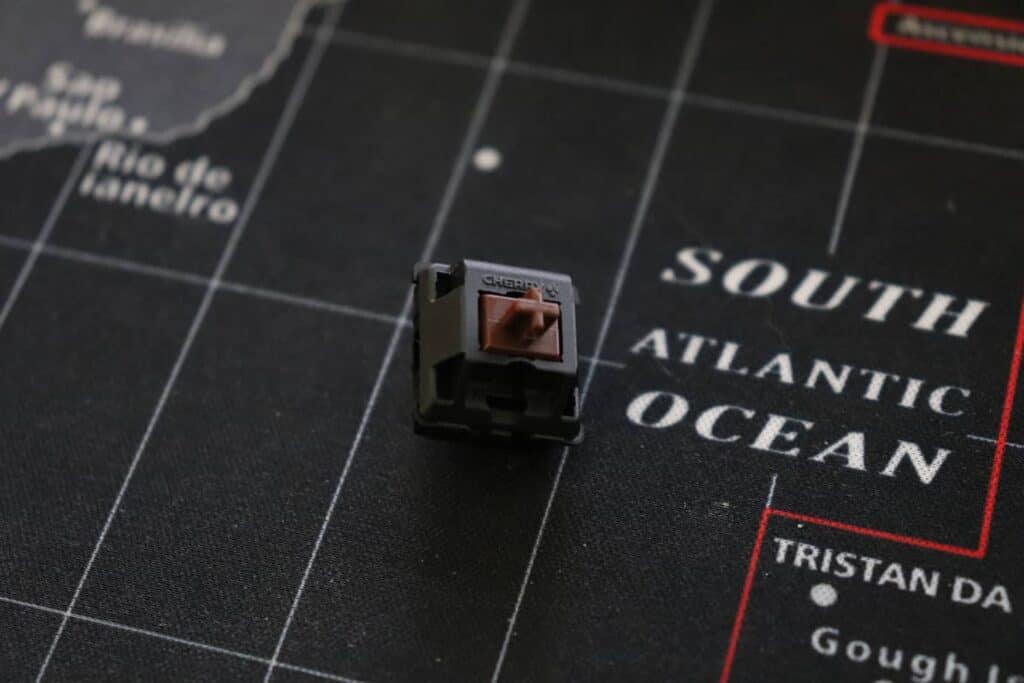
Tactile switches provide feedback. You can feel a small bump when you press them. This helps you know when the key is registered. They are great for typing. Popular tactile switches include:
- Cherry MX Brown
- Gateron Brown
- Kailh Box Brown

Credit: hirosarts.com
Clicky Switches
Clicky switches are loud and satisfying. They give both a bump and a sound. This feedback can be great for typing. Some people love the noise! Popular clicky switches include:
- Cherry MX Blue
- Gateron Blue
- Kailh Box White
Factors to Consider When Choosing a Switch
When choosing a switch for typing, consider these factors:
1. Your Typing Style
Think about how you type. Do you type fast or slow? Do you like feedback? This will help you choose the right switch.
2. Noise Level
Consider the sound of the switch. Clicky switches are loud. Linear switches are quiet. Choose based on your environment.
3. Key Feel
Do you like a smooth feel or a bumpy feel? Try different switches to see what feels best.
4. Durability
Mechanical switches are durable. They can last for years. Make sure to choose a high-quality switch.
Testing Switches
Before buying a switch, try them out. Visit a store that has keyboards. Press the keys to see how they feel. You can also buy a switch tester. This is a small device with different switches. It helps you decide.
Popular Keyboards with Different Switches
Here are some popular keyboards with different switches:
- Logitech G Pro (Linear)
- Razer Huntsman Mini (Clicky)
- Keychron K6 (Tactile)
- HyperX Alloy FPS Pro (Linear)
Frequently Asked Questions
What Switches Are Best For Typing?
Mechanical switches like Cherry MX Brown and Blue are popular for typing due to their tactile feedback and responsiveness.
Are Tactile Switches Better For Typing?
Tactile switches provide feedback that enhances typing accuracy, making them a great choice for many typists.
What Is The Quietest Switch For Typing?
Linear switches, such as Cherry MX Red, are known for their quiet operation, perfect for shared workspaces.
How Do I Choose A Switch Type?
Consider your typing style, sound preference, and feedback needs. Testing different switches can help in your decision.
Conclusion
Choosing the best switch for typing is important. It affects your typing speed and comfort. Remember to think about your typing style, noise level, and key feel. Testing different switches is a smart move. With the right switch, you can enjoy typing more!
Final Thoughts
Finding the best switch is a personal journey. What works for one person may not work for another. Take your time and explore your options. Happy typing!