


Are you searching for a keyboard that combines style, performance, and comfort? The Keychron V3 Max might be exactly what you need.
Whether you type all day, game intensely, or just want a reliable setup, this keyboard is designed to elevate your experience. Keep reading to discover how the Keychron V3 Max can transform your workspace and why it’s becoming a favorite among users like you.

Keychron V3 Max
This keyboard is crafted to provide a seamless typing experience. Its design focuses on both function and style, ensuring users enjoy every keystroke.
Design And Build Quality
Materials And Finish
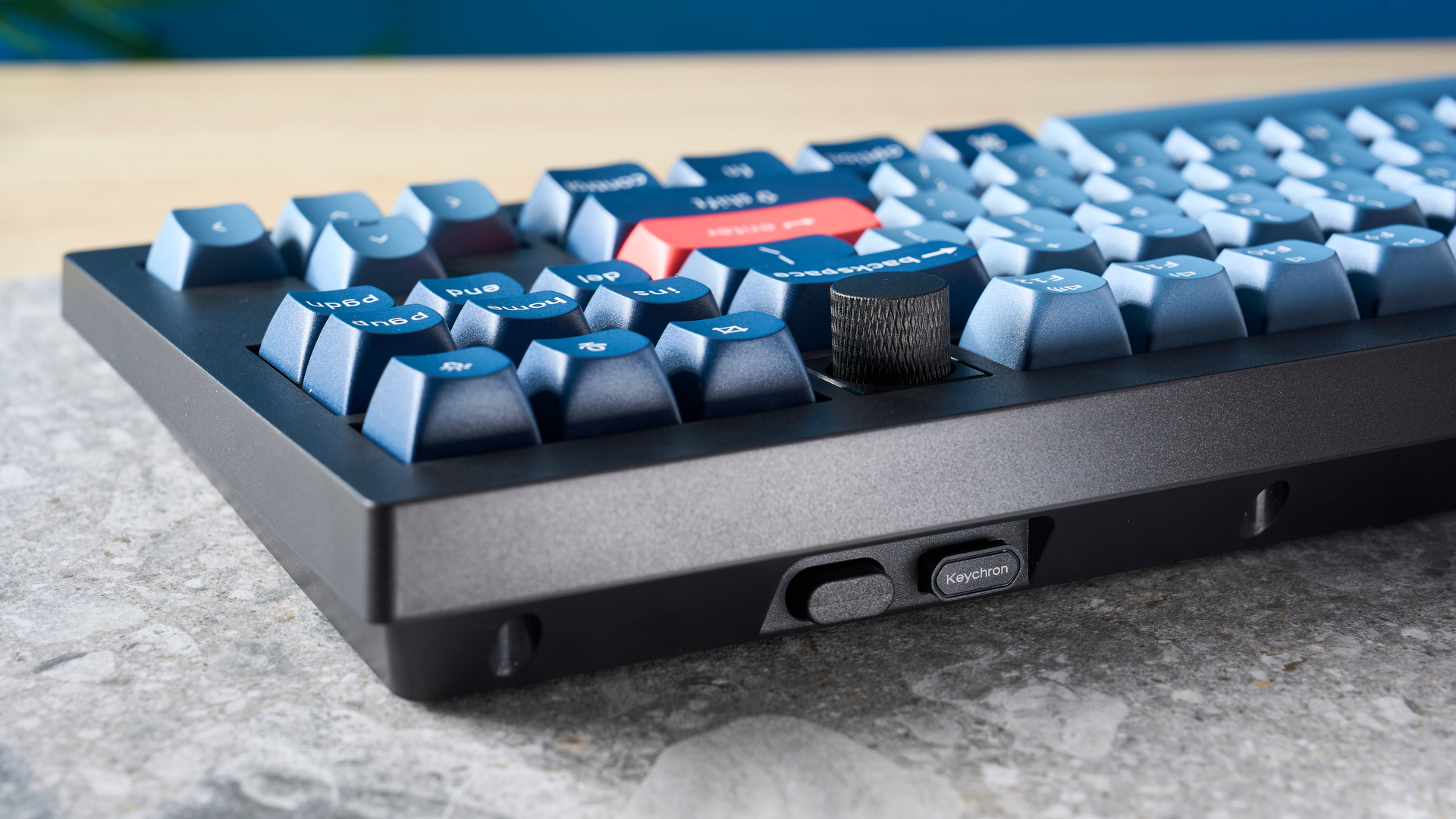
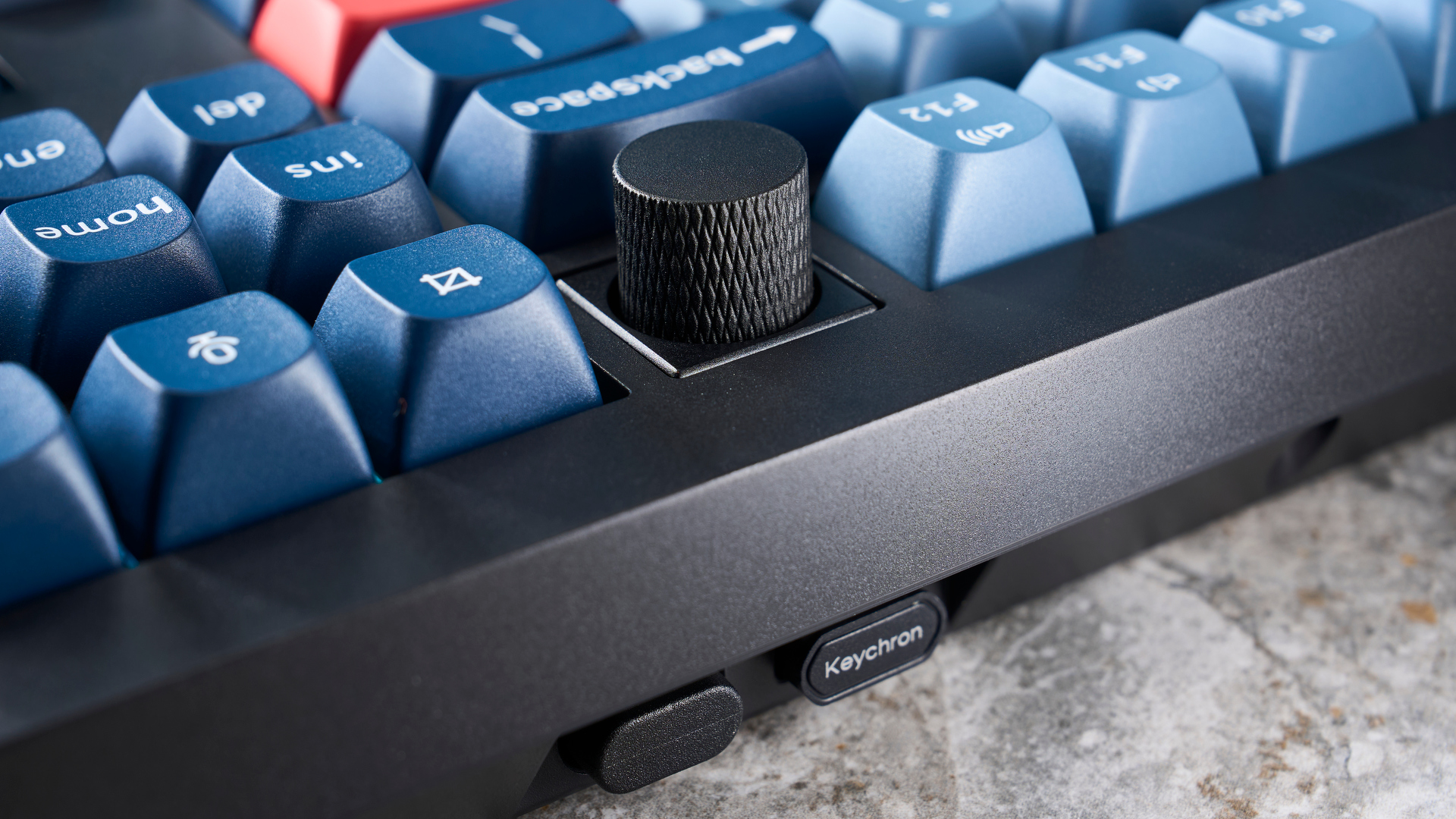
The Keychron V3 Max uses high-quality materials. It features an aluminum frame that adds to its durability and sleek look. The finish is smooth and polished. It prevents fingerprints and keeps the keyboard looking new for longer.
- Aluminum frame for strength
- Smooth finish reduces marks
- Durable keycaps
Ergonomics And Layout
The ergonomic design of the Keychron V3 Max supports comfortable typing. The layout is intuitive, making it easy to use for long hours. Its keys are well-spaced, reducing strain on fingers. This design helps in faster and more accurate typing.
- Well-spaced keys
- Comfortable for long use
- Intuitive layout
Customization Options
The Keychron V3 Max offers multiple customization options. Users can adjust the key functions to suit their needs. It allows for key remapping and lighting adjustments. These options make it a versatile choice for different users.
- Key remapping available
- Customizable lighting
- Versatile user options
Switch Types And Typing Experience
The Keychron V3 Max offers different switch types for various preferences. These switches change how typing feels and sounds. Choosing the right switch helps improve comfort and typing speed. Let’s explore the options and what you can expect.
Mechanical Switch Variants
The Keychron V3 Max comes with three main mechanical switch types. Each switch type feels different to suit your needs.
- Linear switches:Smooth and quiet with no tactile bump.
- Tactile switches:Have a small bump to signal a keypress.
- Clicky switches:Provide both a bump and a clicking sound.
You can pick switches from brands like Gateron or Keychron’s own line. This gives you more control over your typing feel.
Tactile Feedback And Noise Levels
Tactile feedback helps you know when a key is pressed. This feedback reduces errors and improves typing accuracy. Noise levels vary by switch type. Linear switches are the quietest, clicky switches are the loudest.
- Linear: Quiet and smooth, good for shared spaces.
- Tactile: Moderate sound with a gentle bump.
- Clicky: Loud clicks, best for those who like audio feedback.
Keycap Quality And Feel
The Keychron V3 Max uses high-quality keycaps for a nice typing feel. Keycaps are made from PBT plastic, which is durable. PBT keycaps resist shine from finger oils. They have a textured surface that helps your fingers grip the keys better.
- Durable material that lasts longer
- Textured surface improves finger grip
- Resistant to fading and shine
Connectivity And Compatibility
The Keychron V3 Max offers versatile connectivity options. It supports both wired and wireless modes. This makes it easy to use with many devices. You can connect it to different gadgets without trouble. It works well with various operating systems too.
Wired And Wireless Modes
The keyboard connects via a USB-C cable for wired use. This ensures fast and stable input without delay. Wireless mode uses Bluetooth to connect. This mode saves desk space and offers more mobility.
- USB-C cable for wired connection
- Bluetooth 5.1 for wireless connection
- Switch easily between wired and wireless
Multi-device Pairing
Keychron V3 Max supports pairing with up to three devices. You can switch between devices with simple key commands. This feature is useful for users who work on multiple computers or tablets. It saves time and increases productivity.
- Pair three devices at once
- Switch devices using function keys
- Works well with computers, tablets, and phones
Cross-platform Support
The keyboard is compatible with Windows, macOS, and Linux. It also supports Android and iOS devices. Keychron V3 Max includes keycaps for different systems. This makes typing easy regardless of the platform.
- Supports Windows, macOS, Linux
- Works with Android and iOS
- Includes extra keycaps for Mac layout
Performance Features
The Keychron V3 Max is designed for smooth and reliable typing. It has several features that improve performance. These features help users type faster and with fewer errors. They also make the keyboard very responsive.
Polling Rate And Response Time
The polling rate measures how often the keyboard sends data to the computer. A higher polling rate means faster input detection. The Keychron V3 Max offers a polling rate of up to 1000Hz. This means it updates the computer 1000 times each second. Response time is how quickly the keyboard reacts after a key press. The V3 Max has a low response time for quick feedback.
N-key Rollover And Anti-ghosting
N-Key rollover lets you press many keys at once without missing any inputs. This is important for fast typing and gaming. The Keychron V3 Max supports full N-Key rollover. This means every key press is registered accurately, even when you press many keys. Anti-ghosting prevents false key presses from being recorded. It stops unintended inputs when multiple keys are pressed together.
Macro And Shortcut Programming
The keyboard allows users to program macros and shortcuts. This saves time by automating complex key sequences. The Keychron V3 Max lets you customize keys with different functions. You can record macros directly on the keyboard.
- Create multi-key commands with one key press
- Assign shortcuts for software or tasks
- Save and switch between different profiles
Lighting And Aesthetics
The Keychron V3 Max keyboard offers impressive lighting and design features. Its look fits well in many setups. Lighting can change the mood and help users focus. The keyboard blends style with function.
Rgb Lighting Effects
The keyboard has many RGB lighting modes. These modes create different colors and patterns on the keys. Users can choose from steady colors, waves, or reactive effects. Lighting can match your room or mood.
- Static colors for simple looks
- Breathing mode for smooth changes
- Wave effect for moving lights
- Reactive lighting that responds to key presses
Customization And Software Integration
The Keychron V3 Max supports easy customization. Software lets users change lighting and key functions. You can save profiles for different tasks or moods. The software is simple and works on many systems.
- Change colors and brightness
- Create custom lighting patterns
- Set macros and key assignments
- Save and switch profiles quickly
Visual Appeal For Workspaces
The keyboard has a sleek design with clean lines. It fits well on desks with different styles. Its lighting adds a subtle glow that does not distract. The keyboard looks modern and neat in any room.
- Compact layout saves space
- Aluminum frame adds durability and style
- Adjustable lighting suits any environment
- Matches well with other desktop gear
Battery Life And Power Management
The Keychron V3 Max offers strong battery life for long use. Good power management helps keep it running longer. It uses smart features to save energy and supports flexible charging options. This makes it easy to keep the keyboard ready.
Battery Capacity And Longevity
The keyboard has a large battery that lasts for many hours. This helps users work without stopping to recharge. Its battery is designed to hold charge well over time. This means it will keep good performance after many uses.
Charging Options
The Keychron V3 Max supports fast USB-C charging. This lets users recharge the battery quickly and easily. You can charge it while using the keyboard. This means no need to stop working when the battery is low.
- USB-C cable for quick charging
- Can be used while charging
- Compatible with many USB chargers
Power Saving Modes
The keyboard has power saving modes to extend battery life. It turns off or dims when not in use. These modes help reduce energy use without losing performance. Users get longer use between charges.
- Auto sleep mode after inactivity
- Adjustable backlight brightness
- Quick wake when keys are pressed
Productivity Enhancements
The Keychron V3 Max keyboard offers features that help improve work speed. It is designed to make typing and shortcuts easier. These features reduce time spent on common tasks. This helps users focus on their important work.
Hotkeys And Function Layers
The keyboard includes hotkeys that save time by giving quick access to commands. Function layers add more key options without extra keys. Users can switch between layers to control media, adjust brightness, or open apps fast. This cuts down on using a mouse.
- Media controls like play, pause, and volume
- Screen brightness adjustments
- Quick access to calculator and email
- Customizable keys for personal shortcuts
Software Compatibility
The Keychron V3 Max works well with Windows, macOS, and Linux. This makes it suitable for many users. The keyboard supports software that lets users change key functions. This helps create custom layouts and macros.
- Change key assignments easily
- Create macros for repetitive tasks
- Save multiple profiles for different uses
- Sync settings across devices
User Experience Improvements
The Keychron V3 Max offers a comfortable typing feel with smooth key switches. Its design reduces finger fatigue during long work sessions. The keyboard also has adjustable feet for better typing angles. Its RGB lighting helps in low-light environments without being distracting.
- Ergonomic design for comfort
- Adjustable typing angle
- Quiet and responsive keys
- Soft backlighting for visibility
Comparison With Competitors
The Keychron V3 Max is a mechanical keyboard that many users compare with other popular models. It offers a large layout and custom features. Understanding how it stands against competitors can help buyers decide. This comparison looks at price, features, strengths, weaknesses, and user feedback. It helps show the keyboard’s value and how it fits different needs.
Price Vs. Features
The Keychron V3 Max has a price that fits the mid to high range for mechanical keyboards. It offers a large 120% layout with hot-swappable keys. This lets users change switches without soldering. Compared to competitors, it includes good RGB lighting and multiple switch options. Some competing keyboards are cheaper but offer fewer features. Others are more expensive but add wireless or premium build materials.
- Keychron V3 Max: Mid-range price with large layout and hot-swap
- Competitor A: Lower price, smaller layout, no hot-swap
- Competitor B: Higher price, wireless, premium materials
Strengths And Weaknesses
The Keychron V3 Max has many strengths like its build quality and typing feel. Its large layout suits users who want more keys. The hot-swappable feature makes it easy to customize switches. Weaknesses include the lack of wireless connectivity. Some users find the software for lighting control less intuitive. The keyboard is also heavier than some compact models.
- Strengths:Large layout, hot-swappable, solid build
- Weaknesses:No wireless, heavier weight, software limits
User Reviews And Feedback
Users often praise the Keychron V3 Max for its typing comfort and key customization. Many like the option to use different switches. The RGB lighting is also well-liked, though some wish for better software. Negative feedback focuses on the keyboard’s weight and lack of Bluetooth. Some users want more layout options and better keycap quality out of the box.
- Positive: Comfortable typing, easy switch changes, good lighting
- Negative: Heavy design, no wireless, basic software
Value For Money
The Keychron V3 Max offers solid features for its price. It suits users who want quality without a high cost This keyboard balances performance and price well. It meets needs for both work and casual use.
Cost-effectiveness
The Keychron V3 Max provides many functions usually found in expensive models. It has a full-size layout and hot-swappable keys. You get good build quality and features without paying too much. This keyboard fits well in budgets that want value.
- Full-size keyboard with numpad
- Hot-swappable mechanical switches
- RGB backlighting options
- Wireless and wired connectivity
Warranty And Support
Keychron offers a standard one-year warranty on the V3 Max. This covers defects in materials and workmanship. Customer support is available through email and online resources. Users can find guides and troubleshooting tips easily.
- One-year limited warranty
- Email support for issues
- Online manuals and FAQs
- Community forums for advice
Long-term Durability
The Keychron V3 Max uses quality materials for long use. Its aluminum frame adds strength and stability. Mechanical switches are rated for millions of keystrokes. This ensures the keyboard will last several years.
- Aluminum frame for strong build
- Durable keycaps with good texture
- Switches rated for 50 million presses
- Replaceable parts to extend life
Frequently Asked Questions
What Are The Main Features Of Keychron V3 Max?
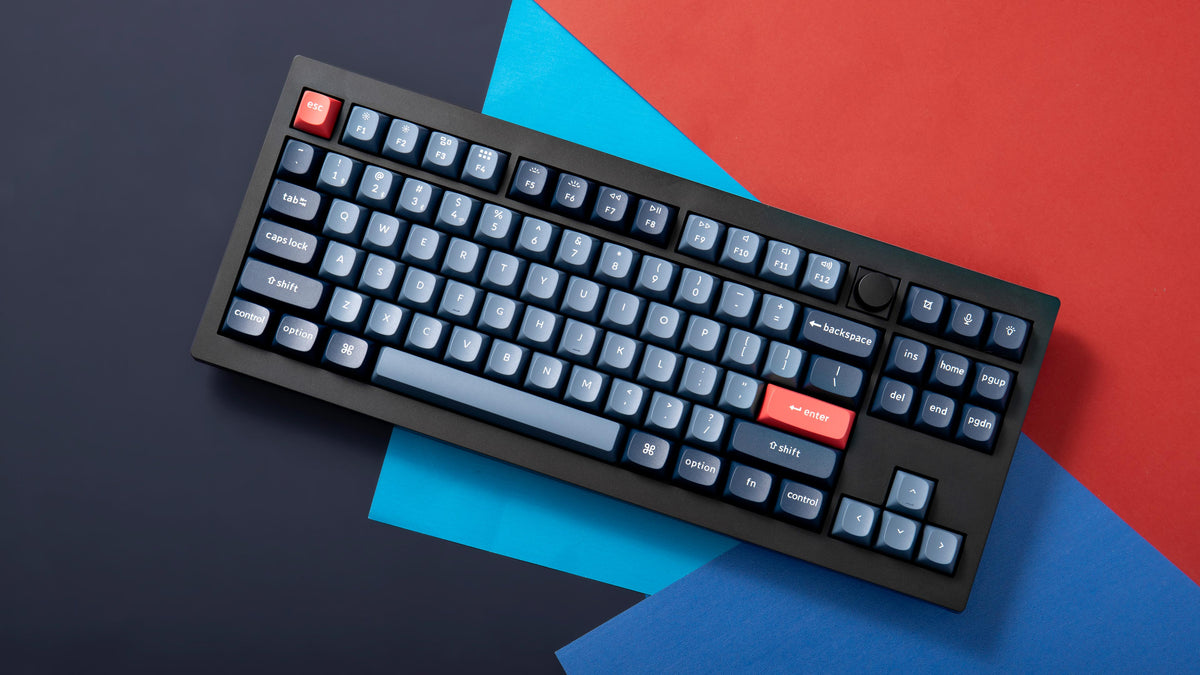
Keychron V3 Max offers a 96% layout with 100 keys. It supports hot-swappable switches and RGB backlighting. The keyboard has wireless Bluetooth and wired USB-C connectivity, making it versatile for different setups.
Is Keychron V3 Max Compatible With Mac And Windows?
Yes, Keychron V3 Max is fully compatible with both Mac and Windows. It includes dedicated Mac keycaps and supports easy switching between operating systems. This enhances usability across different devices.
How Long Does Keychron V3 Max Battery Last?
The battery life of Keychron V3 Max can last up to 34 hours with RGB on. Without lighting, it extends even further, making it great for long work sessions without frequent charging.
Can I Customize The Keychron V3 Max Keyboard Switches?
Yes, Keychron V3 Max supports hot-swappable switches. This feature allows users to easily change mechanical switches without soldering. It offers flexibility to personalize typing feel and sound.
Conclusion
The Keychron V3 Max offers solid build quality and smooth typing feel. Its design fits both work and play. You get many customization options to suit your style. The keyboard connects easily to different devices. Battery life lasts long for daily use.
It suits beginners and pros alike. Choosing this keyboard means comfort and flexibility. A smart pick for those who type a lot. Simple, reliable, and well made. Worth considering for your next keyboard upgrade.


