


If you’re searching for a compact keyboard that doesn’t compromise on performance or style, the Ducky One 3 Mini (2025 Refresh) might be exactly what you need. Imagine a keyboard that fits perfectly on your desk, feels great under your fingers, and keeps up with every click and command you throw at it.
Whether you’re a gamer, a writer, or someone who just loves a sleek setup, this keyboard promises to enhance your experience. Keep reading to discover what makes the Ducky One 3 Mini stand out and why it could be your next favorite accessory.
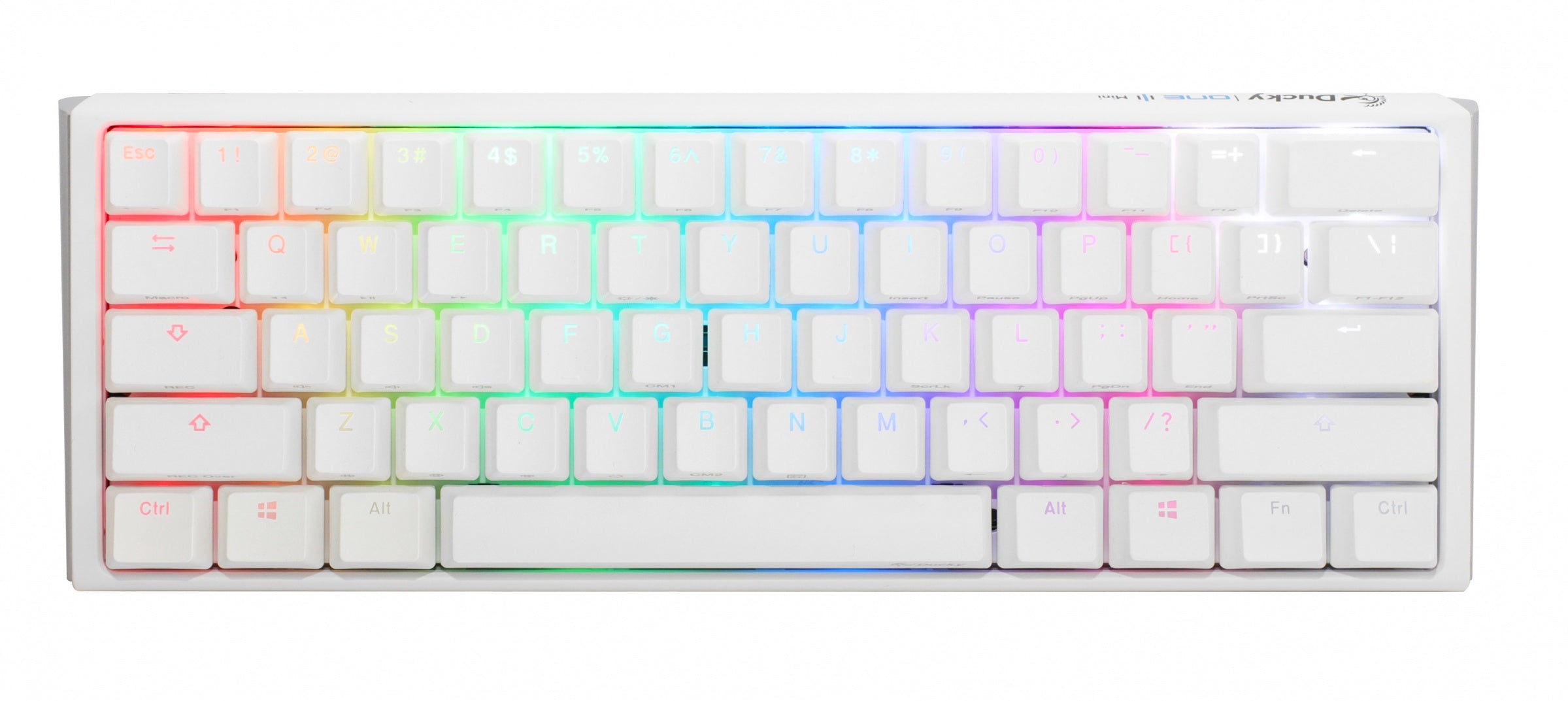
Ducky One 3 Mini
This keyboard combines robust materials with a modern aesthetic, making it both durable and visually appealing.
Design And Build Quality
Compact Layout Features
The Ducky One 3 Mini has a 60% layout, which saves desk space. This design keeps all essential keys while removing extras. Its compact size makes it easy to carry, perfect for people who travel or have limited workspace.
Material And Durability
This keyboard uses high-quality plastic for a sturdy build. The keycaps are made from PBT plastic, which resists wear and tear. The Ducky One 3 Mini is designed to last, withstanding heavy use without showing signs of damage.
Aesthetic And Color Options
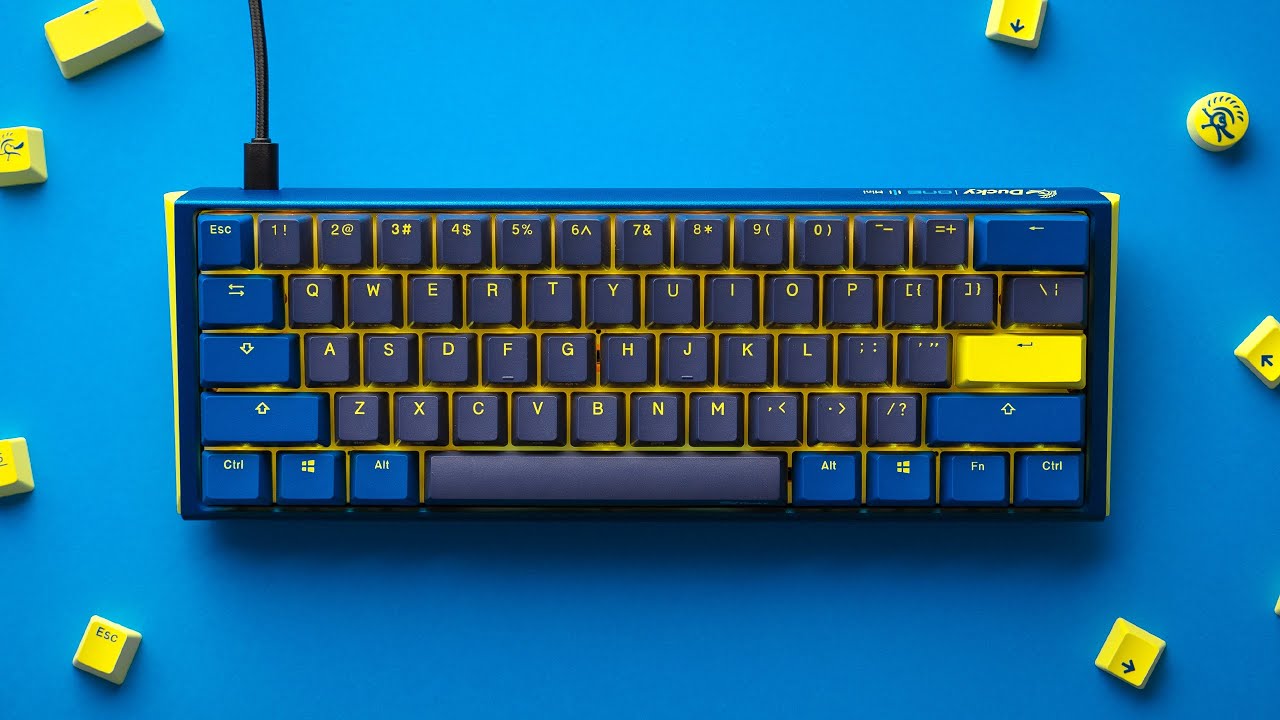
The keyboard comes in several color options, allowing for personalization. Users can choose a color that suits their style. Its minimalistic design fits well in any setup, whether at home or in the office.
- Black for a classic look
- White for a clean appearance
- Colorful versions for a vibrant touch
Key Switches And Typing Experience
The Ducky One 3 Mini (2025 Refresh) offers a great typing experience with its updated key switches. These switches help give clear feedback and smooth typing. Choosing the right switch can change how comfortable and fast you type. This keyboard has options to suit different typing styles.
Switch Options Available
The Ducky One 3 Mini comes with several switch types. Each switch type has unique features to fit various preferences.
- Cherry MX Red: Light and smooth with no click sound
- Cherry MX Brown: Tactile feel without loud clicks
- Cherry MX Blue: Tactile and clicky for strong feedback
- Cherry MX Silent Red: Quiet and soft for less noise
Key Feel And Feedback
Keys on the Ducky One 3 Mini respond quickly to each press. The feedback helps users know when a key is registered. The keyboard feels solid and reliable. It suits both fast typists and those who type more carefully.
- Red switches offer smooth and light keypresses
- Brown switches give a gentle bump on each press
- Blue switches provide a clear click for every key
- Silent Reds reduce sound without losing smoothness
Sound Profile
The sound of key presses varies by switch type on this keyboard. Some switches are quiet, while others make a noticeable click. Typing noise is important for shared spaces or quiet rooms. The Ducky One 3 Mini lets users pick the sound level they prefer.
- Cherry MX Red and Silent Red have low noise
- Cherry MX Brown has a soft sound with a light bump
- Cherry MX Blue is loud and clicky
Performance And Functionality
The Ducky One 3 Mini (2025 Refresh) offers solid performance for daily use. It balances speed and accuracy for a smooth typing experience. This keyboard also provides advanced features to improve user control and comfort. Its design supports both casual and professional needs.
Typing Speed And Accuracy
The keyboard uses high-quality mechanical switches that respond quickly. This helps users type faster without making many errors. The layout is compact, reducing finger travel distance. This feature improves typing speed and lessens fatigue over long sessions.
Macro And Customization Support
Ducky One 3 Mini supports macros that let users assign multiple actions to single keys. This boosts efficiency for repetitive tasks. Customization options include key remapping and lighting adjustments. Users can personalize the keyboard to fit their preferences.
- Record and save macros directly on the keyboard
- Change key functions to suit different software
- Adjust RGB lighting effects and brightness
Connectivity Options
This model offers both wired and wireless connections. Users can switch between USB-C and Bluetooth easily. Bluetooth supports multiple devices, allowing quick device switching. The wired connection provides stable, low-latency input.
- USB-C cable for fast and reliable wired use
- Bluetooth 5.1 for stable wireless connection
- Connect up to three devices via Bluetooth
Lighting And Software
The Ducky One 3 Mini (2025 Refresh) offers advanced lighting and software options. These features improve user experience and keyboard customization. Lighting effects and software tools help users personalize the keyboard easily. The settings work well across many platforms.
Rgb Lighting Effects
The keyboard has bright RGB lighting with many effects. Users can choose colors and patterns to match their style. Lighting modes include static colors, breathing, wave, and reactive effects. These modes respond to typing or run continuously.
- Static color options for simple looks
- Breathing effect that fades in and out
- Wave effect with flowing colors
- Reactive lighting triggered by key presses
Software Customization
The Ducky software lets users change lighting and key functions. It offers easy control of macros and layers. Users can save profiles on the keyboard or the computer. This helps switch settings fast for different uses.
- Create custom key mappings
- Set up macros for complex actions
- Adjust RGB lighting modes and brightness
- Save and load multiple profiles
Compatibility With Platforms
The keyboard works well with Windows, macOS, and Linux. The software supports most major operating systems. Users can customize lighting and keys on any supported system. The keyboard also supports plug-and-play use without software.
- Windows 10 and newer versions
- macOS 10.12 and newer
- Most popular Linux distributions
- Works without software for basic functions
Portability And Ergonomics
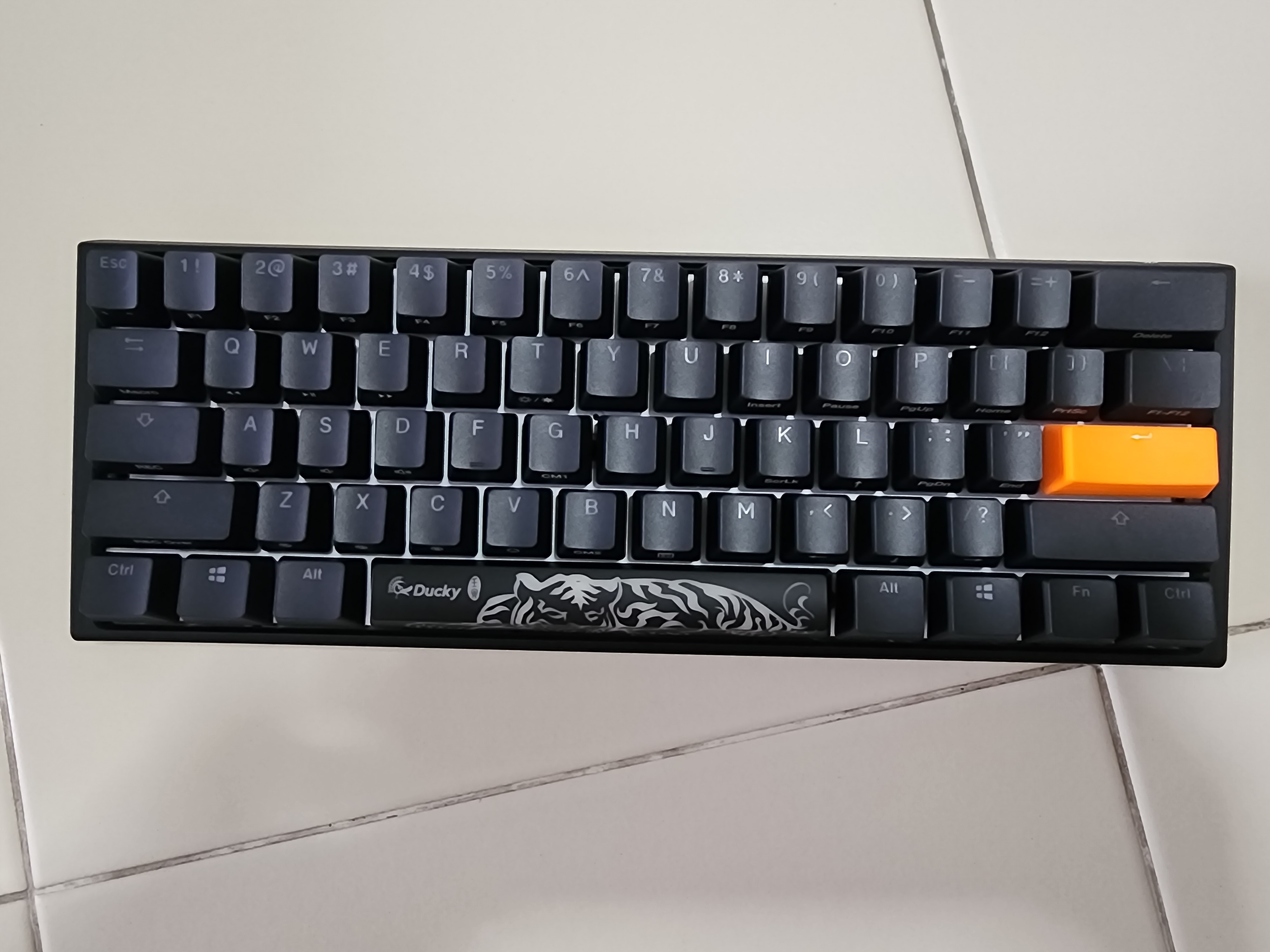
The Ducky One 3 Mini (2025 Refresh) is designed to offer both portability and comfort. It fits well in small spaces while keeping your hands relaxed during use. This keyboard suits users who need a compact and ergonomic device for typing or gaming on the go.
Size And Weight
The Ducky One 3 Mini is a 65% keyboard, meaning it has fewer keys than full-size keyboards. This makes it smaller and easier to carry.
It weighs around 600 grams, which is light enough for travel but still feels sturdy on your desk.
- Compact layout saves desk space
- Lightweight design for easy transport
- Small enough to fit in most backpacks
Ergonomic Features
The keyboard has a slightly angled design to reduce wrist strain. This helps keep your hands in a natural position. Keycaps are sculpted to feel comfortable under your fingers. The keys have a good balance of firmness and softness.
- Angled frame supports wrist comfort
- Sculpted keycaps improve typing feel
- Stable base prevents slipping during use
Travel Friendliness
This keyboard is easy to pack and carry. Its compact size fits in most laptop bags and backpacks. The detachable USB-C cable makes it simple to connect and disconnect. This adds to the convenience of traveling with it.
- Compact and light for easy transport
- Detachable cable for simple packing
- Durable build protects it during travel
Comparison With Previous Models
The Ducky One 3 Mini (2025 Refresh) brings updates to the popular compact keyboard line. It keeps many features users liked before. This makes it easy to compare with older models. This guide looks at what is new, what stayed the same, and if upgrading is worth it.
Key Improvements
The 2025 Refresh adds better build quality and updated software. The key switches feel smoother and last longer. The case design is slightly thinner and lighter.
- Improved mechanical switches with longer lifespan
- Slimmer and lighter case for better portability
- Updated firmware for easier customization
- Enhanced RGB lighting with more effects
What Remains The Same
The Ducky One 3 Mini keeps its 60% layout and compact design. The keycap shape and material stay consistent. The keyboard still offers reliable connectivity and similar USB-C port placement.
- Same 60% keyboard layout
- High-quality PBT double-shot keycaps
- USB-C connection on the same side
- Detachable cable for easy transport
Value For Upgraders
Current Ducky One 3 Mini users may find the refresh worth the upgrade for better switches and firmware. New buyers get a solid compact keyboard with small but useful updates. Upgrading depends on how much you value the smoother typing and extra lighting effects.
Price And Value
The Ducky One 3 Mini (2025 Refresh) is a compact mechanical keyboard. It offers solid build quality and features at a mid-range price. In this section, we will look at the price, compare it with similar keyboards, and explain who should consider buying it.
Pricing Overview
The Ducky One 3 Mini (2025 Refresh) usually costs around $120 to $150. The price depends on the switch type and keycap options. It offers good value for a keyboard with a sturdy case and PBT keycaps. The RGB lighting and hot-swappable switches add to its worth.
Competitor Comparison
This keyboard competes with other 60% keyboards like the Keychron K6 and Anne Pro 3. Each has its strengths and price points.
| Model | Price Range | Key Features |
|---|---|---|
| Ducky One 3 Mini (2025) | $120 – $150 | Sturdy build, PBT keycaps, hot-swap |
| Keychron K6 | $70 – $100 | Wireless, hot-swap, Mac/Windows |
| Anne Pro 3 | $90 – $130 | Wireless, RGB, hot-swap |
The Ducky One 3 Mini is pricier but offers a more solid build and better keycaps than some competitors.
Who Should Buy
Buy this keyboard if you want a compact layout with high-quality materials. It suits users who type a lot or play games. This keyboard fits people who want a durable board with good lighting and the option to change switches easily.
Frequently Asked Questions
What Are The Key Features Of The Ducky One 3 Mini (2025)?
The Ducky One 3 Mini (2025) offers a compact 65% layout, hot-swappable switches, RGB lighting, and PBT double-shot keycaps. It ensures durability and customization for gamers and typists alike.
How Does The Ducky One 3 Mini 2025 Improve Typing Experience?
It features enhanced stabilizers, smooth key travel, and tactile feedback. These upgrades provide a satisfying, quiet, and accurate typing experience for users.
Is The Ducky One 3 Mini Compatible With Different Switches?
Yes, the 2025 refresh supports hot-swappable switches. Users can easily change switches without soldering, allowing versatile customization for preferred typing feel.
What Connectivity Options Does The Ducky One 3 Mini Offer?
The keyboard supports USB-C wired connection for reliable and low-latency performance. It does not include wireless connectivity but focuses on stable wired use.
Conclusion
The Ducky One 3 Mini (2025 Refresh) offers solid features for its size. It fits well on small desks and feels comfortable to type on. The keys are responsive and quiet, making it good for work or play. Its design is simple but stylish, with useful lighting effects.
This keyboard suits users who want a compact and reliable option. It balances performance and portability without extra bulk. Overall, the Ducky One 3 Mini stays a strong choice in the 65% keyboard market. A smart pick for those who value space and quality.


