


Looking for a keyboard that combines style, comfort, and top performance? The Akko Alice Plus might be exactly what you need.
If you spend hours typing or gaming, your keyboard can make a huge difference in your experience. The Akko Alice Plus stands out with its unique design and customizable features that adapt to your personal taste. Keep reading to discover how this keyboard can upgrade your setup and make every keystroke feel just right.
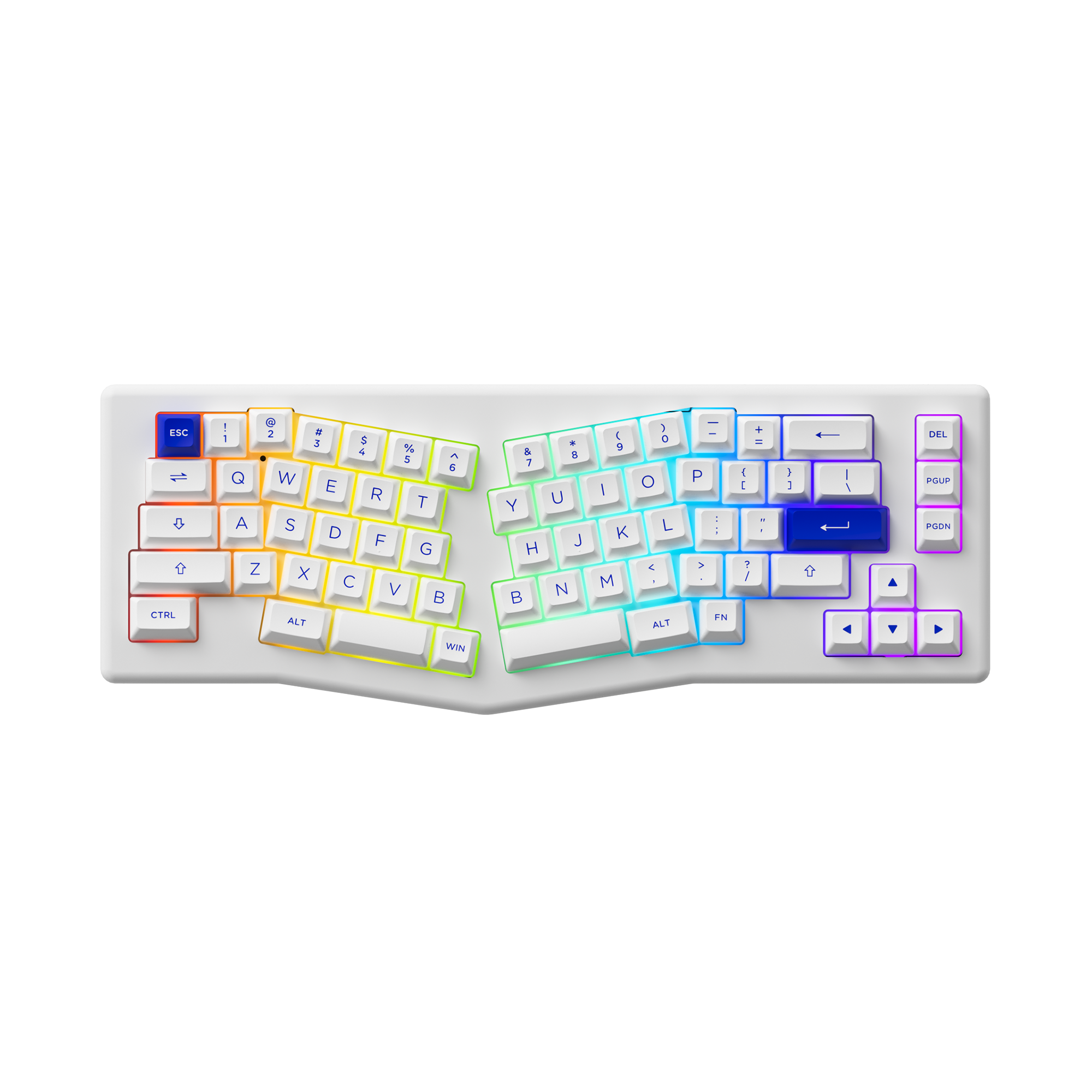
Akko Alice Plus
This keyboard offers a unique blend of features that enhance the user experience. Let’s explore these elements in more detail.
Design And Build Quality
Compact Layout And Size
The Akko Alice Plus has a compact layout, making it suitable for small spaces. It is designed to maximize desk space while providing all the essential keys. Its size is perfect for users who need a portable keyboard. Despite its compact design, the keyboard does not compromise on key functionality.
Durable Materials
This keyboard is made from strong materials to ensure long-lasting use. The robust design helps it withstand regular typing and usage. Its durability makes it a reliable choice for both work and play. Users appreciate the solid feel of the keys and the overall build quality.
Rgb Lighting Features
The Akko Alice Plus comes with customizable RGB lighting. This feature allows users to personalize their keyboard experience with different colors. The lighting adds a visual appeal, making it a favorite among those who enjoy aesthetic setups. Users can adjust the brightness and color patterns to suit their preferences.
- Multiple lighting modes available
- Easy to customize settings
- Enhances the overall look of the keyboard
Switch Options
The Akko Alice Plus keyboard offers various switch options. These switches change how the keyboard feels and sounds. You can choose switches that fit your typing style and preferences. This guide explains the switch types and features.
Types Of Mechanical Switches
The Akko Alice Plus supports several mechanical switch types. Each type has unique characteristics for different users.
- Linear switches:Smooth and quiet with no tactile bump.
- Tactile switches:Provide a noticeable bump without loud click sounds.
- Clicky switches:Have both a bump and a loud click sound.
Switch Feel And Feedback
Switch feel depends on the type you choose. It affects how easy and comfortable typing is. Feedback helps you know when a key is pressed. Some switches give soft feedback, others give strong feedback.
- Linear switches offer smooth keypresses with little resistance.
- Tactile switches give a bump feeling without noise.
- Clicky switches provide both a bump and audible click.
Customization Possibilities
You can customize switch options in the Akko Alice Plus to match your needs. Some switches can be swapped easily. This lets you try different switch types without buying a new keyboard. You can also add dampeners to reduce noise.
- Hot-swappable sockets allow easy switch changes.
- Switches come in different spring weights for varied resistance.
- Dampeners can reduce sound and soften keypresses.
Typing Experience
The Akko Alice Plus keyboard offers a unique typing experience. It focuses on comfort and responsiveness for everyday use. This keyboard suits both casual typists and those who type for long hours. Its design aims to reduce fatigue and improve speed.
Key Travel And Actuation
The key travel on the Akko Alice Plus is balanced for comfort and precision. It provides enough distance for accurate typing without feeling stiff. The actuation force is moderate, making each keypress feel responsive. This helps users avoid accidental presses while typing fast.
- Key travel length: about 3.8mm
- Actuation force: around 45g
- Responsive but not too sensitive
Noise Levels
The Akko Alice Plus produces moderate noise while typing. It is quieter than many mechanical keyboards but not completely silent. This noise level suits office and home use. It does not disturb others but still gives tactile feedback.
- Not too loud for shared spaces
- Clear sound for typing rhythm
- Noise varies by switch type
Ergonomic Considerations
The Akko Alice Plus has an ergonomic layout that reduces strain. Its compact design helps keep hands close and relaxed. The keyboard’s angle and key shape support natural finger movements. This lowers the chance of discomfort during long typing sessions.
- Compact size for easy reach
- Angled keys to fit hand shape
- Supports comfortable wrist position

Gaming Performance
The Akko Alice Plus keyboard delivers solid gaming performance. It meets the needs of casual and serious gamers. It combines speed, precision, and useful features to enhance your gameplay experience.
Response Time And Accuracy
The keyboard has a fast response time that helps you react quickly in games. It registers every key press instantly. Its high accuracy reduces mistakes during intense gaming sessions. You can trust it to perform exactly as you expect.
Anti-ghosting And N-key Rollover
The Akko Alice Plus supports anti-ghosting to prevent missed or false key presses. This is important when many keys are pressed at once. It also offers N-key rollover, allowing multiple keys to register simultaneously. This feature is useful for complex game commands.
- Anti-Ghosting prevents unintended key inputs
- N-Key Rollover registers several keys at once
- Helps in games requiring multiple key presses
Macro And Shortcut Support
The keyboard allows you to program macros and shortcuts. This saves time by performing sequences of actions with one key. Macros can be customized for different games. Shortcut keys improve efficiency during gameplay and other tasks.
Connectivity And Compatibility
The Akko Alice Plus keyboard offers flexible connection options. It works well with many devices. This section covers its wired and wireless features, device support, and software updates.
Wired Vs Wireless Options
The Akko Alice Plus supports both wired and wireless modes. You can switch easily between them. The wired mode uses a USB-C cable for stable and fast connection. Wireless mode connects via Bluetooth.
- Wired: USB-C port, no battery needed
- Wireless: Bluetooth 5.0, supports up to three devices
- Switch between devices with a key press
- Wireless range up to 10 meters
Device Compatibility
The keyboard works with many operating systems. It supports Windows, macOS, Android, and iOS. It uses standard key layouts and supports multimedia keys for different systems.
- Windows 7 and later versions
- macOS 10.12 and later versions
- Android 6.0 and newer
- iOS 11 and newer
Software And Firmware
Akko provides software for customizing the keyboard’s functions. You can change key assignments and lighting. Firmware updates fix bugs and add new features. Updates are easy to install through the Akko software.
- Key remapping and macro support
- RGB lighting control
- Firmware updates via USB connection
- Software available for Windows and macOS

Additional Features
The Akko Alice Plus keyboard has extra features that improve your typing experience. These features make it easy to customize and use. Below, you will find details about customizable keycaps, onboard memory, and battery life.
Customizable Keycaps
The keyboard comes with keycaps you can change to fit your style. You can swap the keycaps without tools. These keycaps are made of durable PBT plastic. They resist shine and wear from long use.
- Easy to remove and replace
- Durable PBT material
- Different colors and designs available
Onboard Memory
Akko Alice Plus stores your settings inside the keyboard. You do not need software to keep your layout. This onboard memory saves your macros and key assignments. You can switch between profiles quickly.
- Save multiple profiles
- Store macros and shortcuts
- Use without extra software
Battery Life And Charging
The keyboard has a long-lasting battery for wireless use. It lets you type without charging for many hours. Charging is simple with a USB-C cable. You can use the keyboard while charging.
- Long battery life for all-day use
- Fast charging with USB-C
- Can use while charging
Price And Value
The Akko Alice Plus keyboard offers a balance between cost and quality. It targets users who want a reliable mechanical keyboard without overspending. This review covers how the price compares to similar products and whether the performance matches the cost.
Cost Comparison
The Akko Alice Plus is priced in the mid-range for mechanical keyboards. It is cheaper than high-end models but more expensive than basic options.
- Mid-range price around $120 to $150
- More affordable than premium custom keyboards
- Higher cost than entry-level membrane keyboards
Performance Vs Price
The keyboard delivers solid performance for its price. It uses quality mechanical switches and a sturdy build. Users get good typing feel and durability that match the mid-range price tag.
- Reliable mechanical switches
- Comfortable ergonomic layout
- Durable materials and build quality
- Customizable features add value
User Reviews And Feedback
Many users praise the Akko Alice Plus for its value. They say the keyboard feels solid and looks good. Some users wish it had more features for the price, but overall satisfaction is high.
- Positive comments on build quality
- Good typing experience reported
- Minor complaints about limited software options
- Seen as a good balance of price and quality
Frequently Asked Questions
What Is Akko Alice Plus Keyboard?
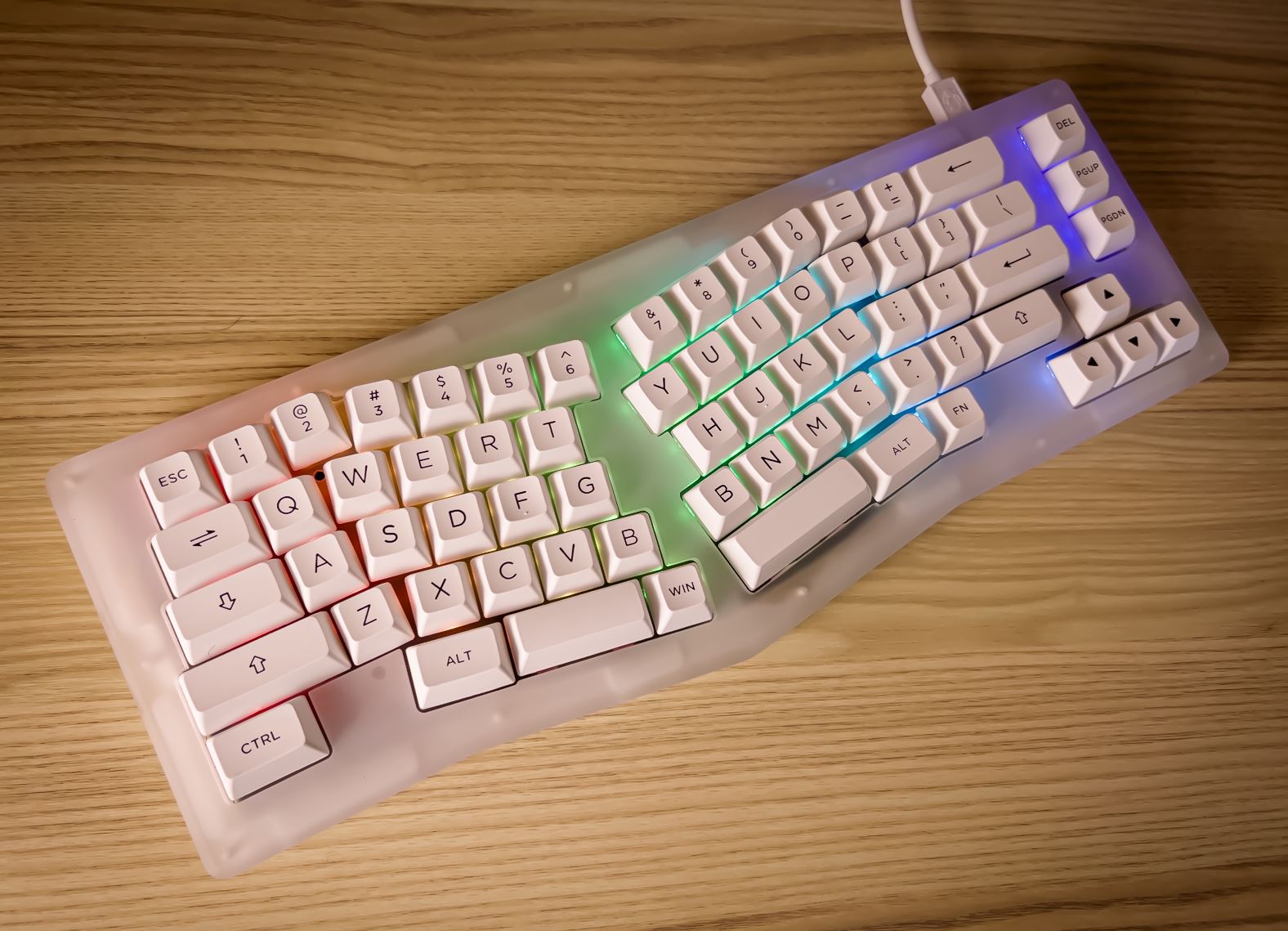
Akko Alice Plus is a compact 75% mechanical keyboard. It features a unique ergonomic layout and high-quality key switches. It’s designed for both gamers and typists who want efficiency and style.
Which Switches Are Available In Akko Alice Plus?
Akko Alice Plus offers several switch options, including Akko’s own mechanical switches. Users can choose between tactile, linear, and clicky switches. This variety allows customization based on typing preference and sound.
Is Akko Alice Plus Suitable For Gaming?
Yes, Akko Alice Plus is great for gaming. Its compact layout allows quick access to keys. The mechanical switches provide fast response times and durability, enhancing gaming performance.
Can Akko Alice Plus Be Customized?
Akko Alice Plus supports keycap and switch customization. It also offers RGB lighting with adjustable effects. Users can personalize the keyboard to fit their style and comfort needs.
Conclusion
Akko Alice Plus offers a solid mix of style and function. Its design suits both work and play. The keyboard feels comfortable for long use. It works well with many devices. Users can enjoy smooth typing every day. The build quality seems strong and lasting.
This keyboard fits those who want reliability. A good choice for anyone needing a new keyboard. Simple, effective, and user-friendly. Worth considering if you want a dependable typing tool.


