


The best mechanical keyboard in 2021 combines durability, responsiveness, and customizable features. Prioritize your typing style and preferences for an optimal choice.
Mechanical keyboards have gained immense popularity among gamers and typists alike. Their tactile feedback and customizable options enhance the overall typing experience. With various switch types, each keyboard caters to different preferences, whether you prefer a soft touch or a clicky sound.
Keyboards come with features like RGB lighting, programmable keys, and ergonomic designs, making them appealing for long hours of use. Understanding your needs is crucial in making the right choice. This guide will help you navigate the top options available, ensuring you find the perfect mechanical keyboard to elevate your productivity and gaming experience.
Mechanical keyboards are popular among gamers and typists alike. They offer a different typing experience than traditional keyboards. The tactile feedback and durability attract many users. This section covers the rise in popularity and advantages of mechanical keyboards.
Rise In Popularity
The demand for mechanical keyboards has surged in recent years. Gamers and professionals seek better performance and comfort. Here are some reasons for their popularity:
- Durability: Mechanical keyboards last longer than standard ones.
- Tactile Feedback: Users enjoy the satisfying click of each key.
- Customization: Many keyboards allow users to change key switches.
- Variety: Different types of switches cater to diverse preferences.
- Aesthetics: Backlighting options enhance the visual appeal.
Advantages Over Traditional Keyboards
Mechanical keyboards provide several advantages over traditional keyboards. Here are the key benefits:
| Feature | Mechanical Keyboards | Traditional Keyboards |
|---|---|---|
| Key Switches | Individual switches for each key | Membrane or rubber dome switches |
| Typing Experience | Tactile and responsive | Soft and less tactile |
| Longevity | 50 million keystrokes | 5 million keystrokes |
| Customization | Switch and keycap options | Limited customization |
Mechanical keyboards enhance typing speed and accuracy. Their switches prevent accidental key presses. Users appreciate the choice of switch types, such as:
- Cherry MX Red: Smooth and quiet
- Cherry MX Blue: Tactile and clicky
- Cherry MX Brown: Balanced feedback
Mechanical keyboards are ideal for long typing sessions. They reduce hand fatigue and improve comfort. Investing in a quality mechanical keyboard makes a difference.
Key Factors To Consider
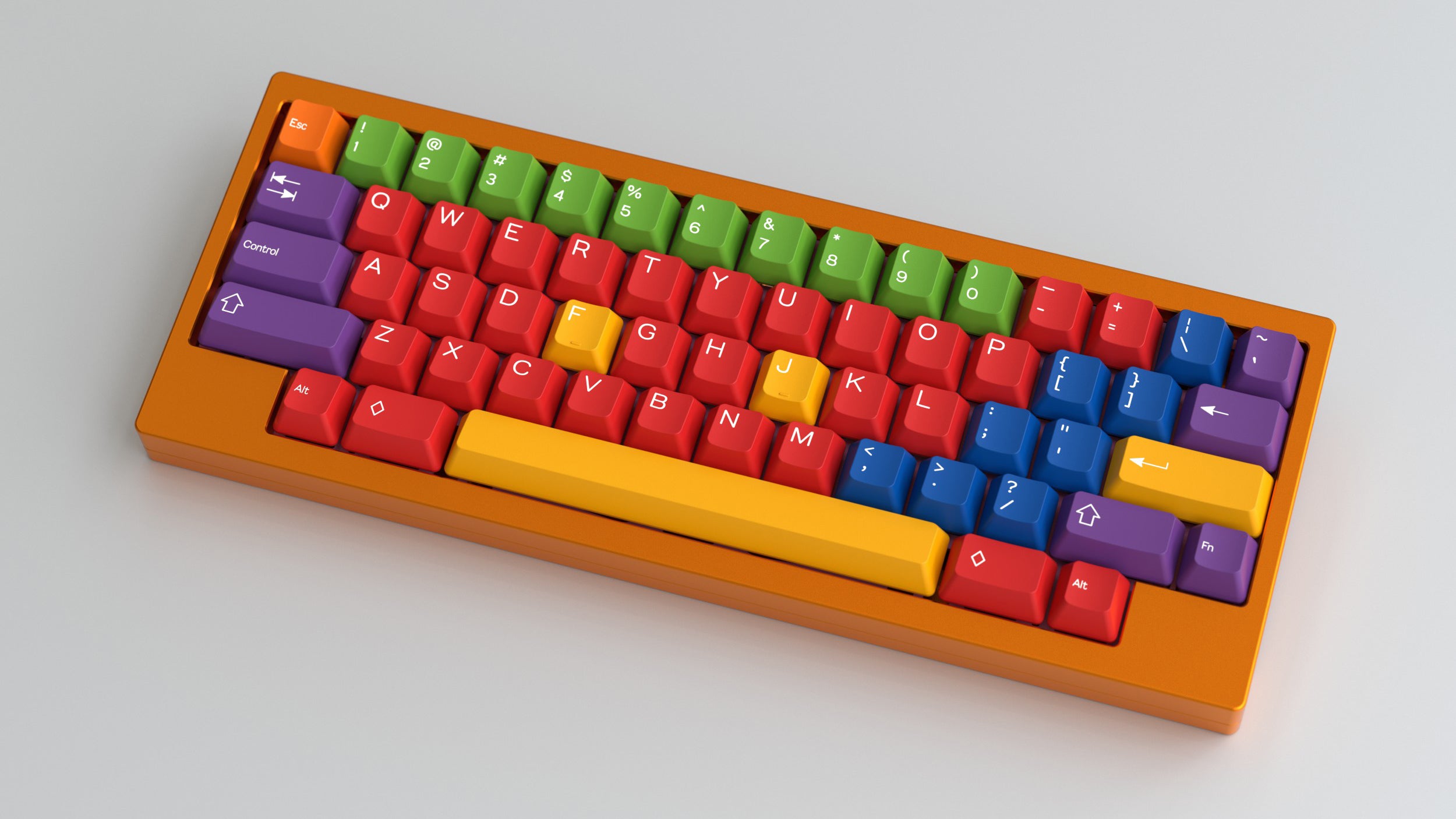
Choosing the right mechanical keyboard can be challenging. Several key factors impact your experience. Understanding these factors will help you make the best choice.
Switch Types
Mechanical keyboards use different types of switches. Each switch offers a unique feel and sound. Here are the most common types:
- Cherry MX Red: Smooth and quiet. Great for gaming.
- Cherry MX Blue: Clicky and tactile. Ideal for typing.
- Cherry MX Brown: Balanced. Good for both gaming and typing.
- Razer Green: Similar to Blue. Offers a satisfying click.
Try different switches to find your favorite. Your comfort matters the most.
Build Quality And Materials
Durability is key in a mechanical keyboard. Look for keyboards made of high-quality materials.
| Material | Benefits |
|---|---|
| Plastic | Lightweight and affordable. |
| Aluminum | Sturdy and premium feel. |
| Steel | Highly durable and long-lasting. |
A sturdy build enhances longevity. Choose a keyboard that feels solid in your hands.
Key Rollover And Anti-ghosting
Key rollover and anti-ghosting are important for gamers. These features allow for multiple key presses without errors.
- Key Rollover: Indicates how many keys can be pressed at once.
- Anti-Ghosting: Prevents false key presses during rapid actions.
Look for at least 6-key rollover and anti-ghosting. This ensures a smooth gaming experience.
Design And Aesthetics
The design and aesthetics of a mechanical keyboard greatly influence your overall experience. A keyboard should not only function well but also fit your style. The right design can enhance your workspace and make typing enjoyable.
Form Factor And Layout
Mechanical keyboards come in various form factors. Each one serves different needs:
- Full-size: Includes all keys, including number pad.
- TKL (Tenkeyless): Lacks the number pad for a compact design.
- 75%: Offers a more compact layout with function keys.
- 60%: Minimalist design, omits function keys and arrows.
Choose a layout that fits your typing style and workspace.
Backlighting And Customization
Backlighting adds flair to your keyboard. It enhances visibility in low light. Here are some options:
| Type | Description |
|---|---|
| Single-color | One color for all keys. |
| RGB | Multi-color, customizable lighting effects. |
| Per-key RGB | Individual key lighting customization. |
Customization options allow you to express your style. Choose backlighting that matches your setup.
Ergonomics And Comfort
Comfort is key for long typing sessions. Look for ergonomic designs to avoid strain. Consider these features:
- Wrist rests: Provide support and reduce fatigue.
- Adjustable height: Allows for a comfortable typing angle.
- Keycap material: PBT keycaps offer durability and comfort.
Investing in ergonomics improves your typing posture. A comfortable keyboard keeps you productive.
Performance Aspects
Performance is key in choosing the best mechanical keyboard. It impacts your gaming experience and typing efficiency. Here, we explore three essential aspects: responsiveness for gaming, typing experience, and durability.
Responsiveness For Gaming
Fast and accurate keystrokes enhance your gaming performance. A responsive keyboard can make a big difference in competitive gaming. Here are some important factors:
- Switch Type: Different switches offer varying actuation points.
- Polling Rate: Higher rates reduce input lag.
- Anti-Ghosting: Supports multiple key presses simultaneously.
Choose a keyboard with a low actuation point for speed. Look for mechanical switches like Cherry MX, Razer, or Logitech. These provide excellent feedback and quick response times.
Typing Experience
Typing comfort matters for long sessions. A good keyboard should feel natural and responsive. Consider these points:
| Switch Type | Feel | Noise Level |
|---|---|---|
| Cherry MX Red | Smooth | Quiet |
| Cherry MX Blue | Clicky | Loud |
| Cherry MX Brown | Tactile | Moderate |
Your choice affects typing speed and accuracy. Test different switches to find your preference. Comfort leads to better productivity.
Durability And Lifespan
A keyboard should last for years. Durability impacts long-term value. Check these features:
- Key Switch Lifespan: Mechanical switches last over 50 million keystrokes.
- Build Quality: A sturdy frame prevents wear and tear.
- Keycap Material: PBT keycaps resist fading and shine.
Invest in a keyboard with high-quality components. This saves money in the long run. A reliable keyboard boosts your gaming and typing experience.
Connectivity Options

Choosing the right connectivity option is crucial for your mechanical keyboard. It affects how you connect and use the keyboard with your devices. Let’s explore the different connectivity choices available.
Wired Vs Wireless
Mechanical keyboards generally come in two types: wired and wireless.
- Wired Keyboards: They connect directly to your device using a USB cable. This offers a stable connection and zero input lag.
- Wireless Keyboards: They connect via Bluetooth or a USB dongle. They provide more freedom of movement but may have slight latency.
Wired keyboards are great for gamers. Wireless keyboards suit casual users or those with limited desk space.
Bluetooth And Usb Interfaces
Understanding the interfaces is essential for seamless use.
| Interface Type | Pros | Cons |
|---|---|---|
| Bluetooth |
|
|
| USB |
|
|
Compatibility With Multiple Devices
Many mechanical keyboards support multiple devices. This feature is beneficial for users with a laptop, tablet, or phone.
- Check if the keyboard supports Bluetooth. This allows easy switching.
- Look for a keyboard with a USB interface for wired connections.
- Some keyboards can connect to three or more devices at once.
Ensure the keyboard’s features match your needs. This will enhance your overall experience.
Brand And Manufacturer Reputation
The reputation of a brand plays a crucial role in choosing a mechanical keyboard. Well-known brands often deliver quality and reliability. Customers trust established manufacturers. They provide better performance and durability. Understanding brand reputation helps in making informed decisions.
Market Leaders In Mechanical Keyboards
Several brands dominate the mechanical keyboard market. Below are the top players known for their quality:
| Brand | Key Features |
|---|---|
| Logitech | Customizable RGB, durable switches, ergonomic design |
| Razer | Chroma lighting, programmable keys, gaming-focused |
| Corsair | Advanced software, robust build, RGB lighting |
| HyperX | Comfortable keycaps, reliable switches, good for gaming |
These brands are recognized for quality products. They offer great features and performance.
Warranty And Customer Support
Warranty and customer support are vital factors. A strong warranty shows brand confidence. Good customer support ensures a smooth experience.
- Logitech: 2-year warranty with excellent support.
- Razer: 2-year warranty, responsive customer service.
- Corsair: 2-year warranty, dedicated support team.
- HyperX: 2-year warranty, helpful customer service.
Check the warranty before purchasing. Reliable support adds value to your investment.
Price Vs. Value
Understanding the difference between price and value is crucial in choosing a mechanical keyboard. Price is the amount you pay. Value is what you get in return. A higher price doesn’t always mean better quality. Finding the right balance is essential.
Budget-friendly Picks
Many gamers and typists seek affordable options. Here are some budget-friendly mechanical keyboards that offer great value:
- Redragon K552 Kumara: Compact design, RGB lighting, and durable keys.
- Logitech G413: Solid build, responsive keys, and customizable lighting.
- Cooler Master CK530: Sleek design, decent performance, and low price.
These keyboards provide essential features without breaking the bank.
Mid-range Models
Mid-range keyboards offer more features and better build quality. Here are some popular choices:
| Keyboard Model | Key Features | Price Range |
|---|---|---|
| Razer BlackWidow Lite | Quiet keys, customizable RGB, detachable cable. | $70 – $90 |
| SteelSeries Apex 5 | Hybrid switches, customizable lighting, aluminum frame. | $100 – $120 |
| HyperX Alloy FPS Pro | Compact design, red LED, and solid build. | $80 – $100 |
These models balance cost and features well.
High-end Mechanical Keyboards
High-end keyboards are for serious gamers and professionals. They offer premium features:
- Razer Huntsman Elite: Fast optical switches, plush wrist rest, and RGB lighting.
- Ducky One 2 Mini: Compact layout, customizable keys, and high-quality build.
- Logitech G915 TKL: Low-profile switches, wireless connectivity, and sleek design.
Investing in these keyboards yields excellent performance and durability.
User Reviews And Community Feedback
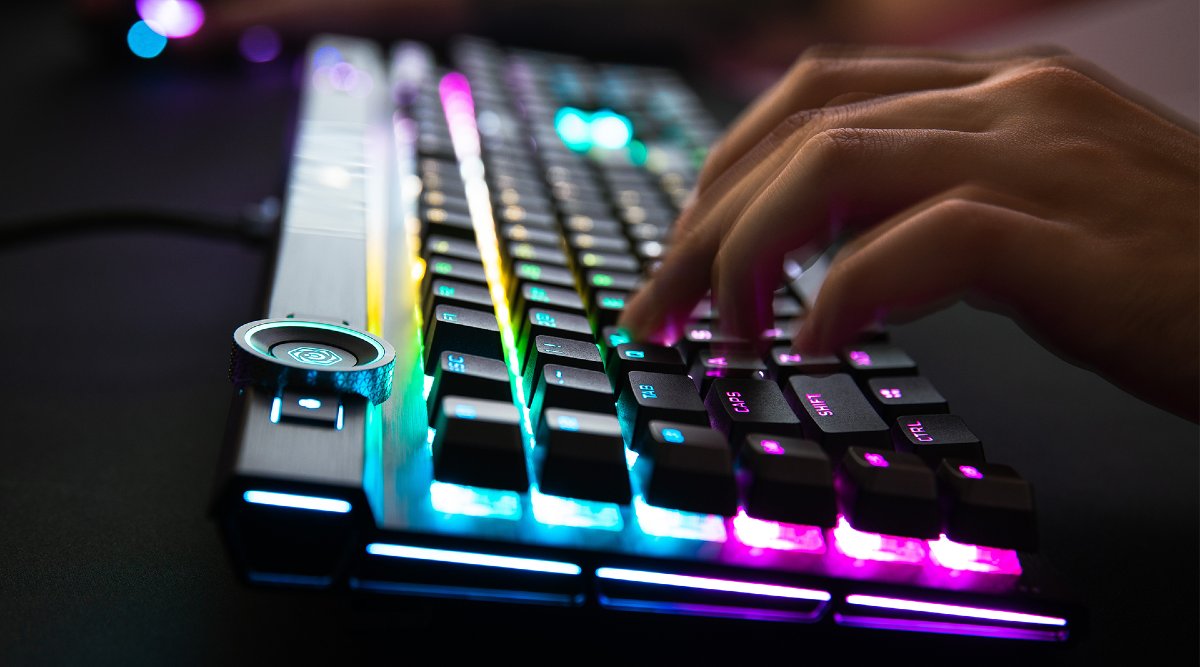
Understanding what users think can shape your buying decision. User reviews provide real insights into mechanical keyboards. They highlight strengths and weaknesses. Community feedback adds another layer of perspective. It reflects the experiences of many users.
Forums And Online Communities
Forums and online communities are goldmines for feedback. Users share their thoughts freely in these spaces. Popular platforms include:
- GeekHack
- Overclock.net
These platforms host discussions about various keyboard brands and models. Users often post their experiences and recommendations. Here are some common topics discussed:
- Key switch preferences
- Build quality concerns
- Customization options
Engaging in these forums helps you understand user sentiment. You’ll find both praise and complaints about specific keyboards.
Professional Reviews Vs User Testimonials
Professional reviews offer detailed analysis. They assess performance, features, and design. However, they may lack personal touch. User testimonials, on the other hand, present real-life experiences.
Consider these points:
| Aspect | Professional Reviews | User Testimonials |
|---|---|---|
| Depth of Analysis | In-depth and technical | Personal and relatable |
| Bias | Possibly sponsored | Genuine opinions |
| Focus | Specifications | Usability |
Both types of feedback are valuable. Balance professional reviews with user testimonials. This helps you make a well-rounded decision.
Additional Features To Look For
Choosing the best mechanical keyboard involves more than just key switches. Consider the additional features that enhance your typing experience. These features can improve functionality, comfort, and customization.
Software For Customization
Software can greatly enhance your keyboard’s functionality. Many brands offer dedicated software for customization. This software allows users to:
- Remap keys
- Create macros
- Change RGB lighting
- Adjust key sensitivity
Brands like Razer and Logitech provide user-friendly interfaces. Check compatibility with your operating system before purchasing.
Extra Keys And Programmability
Extra keys can make a big difference in usability. Look for keyboards with:
- Dedicated media controls
- Macro keys
- Customizable function keys
Programmable keys allow quick access to frequently used commands. This feature saves time and enhances productivity.
Accessories And Mods
Accessories can improve your keyboard experience. Consider these popular options:
| Accessory | Benefit |
|---|---|
| Wrist Rest | Reduces wrist strain |
| Keycap Sets | Personalizes your keyboard |
| Switch Lubing Kits | Enhances key feel and sound |
Exploring these accessories can make your keyboard unique. Mods can also improve performance. Research options that fit your needs.
Conclusion: Making The Right Choice
Choosing the best mechanical keyboard is important for your typing experience. It affects comfort, speed, and gaming performance. This section summarizes key points and offers final recommendations.
Summary Of Key Points
- Switch Type: Different switches suit various needs. Consider tactile, linear, or clicky switches.
- Build Quality: Look for sturdy materials. A durable keyboard lasts longer.
- Key Rollover: Ensure your keyboard supports multiple key presses. This is vital for gaming.
- Backlighting: RGB lighting can enhance your setup. It also aids typing in low light.
- Price: Set a budget. Mechanical keyboards vary widely in price.
Final Recommendations
| Keyboard Model | Best For | Price Range |
|---|---|---|
| Logitech G Pro X | Gaming | $150 – $200 |
| Keychron K6 | Typing | $70 – $90 |
| Razer BlackWidow V3 | Customization | $130 – $180 |
| Ducky One 2 Mini | Portability | $100 – $130 |
Test different keyboards in-store. Feel the switches and layout. Choose what feels best for you. Your perfect keyboard awaits!
Frequently Asked Questions
What Should I Consider When Buying A Mechanical Keyboard?
When buying a mechanical keyboard, consider key switch types, build quality, and size. Different switches offer varying tactile feedback and sound. Evaluate your typing style and preferences. Additionally, check for features like backlighting and programmable keys. These factors will enhance your overall typing experience.
Are Mechanical Keyboards Better For Gaming?
Yes, mechanical keyboards are often better for gaming. They provide faster response times and more tactile feedback. Gamers appreciate the durability and customization options available. The anti-ghosting feature prevents missed key presses during intense gaming sessions. Overall, they enhance performance and comfort for gamers.
How Much Should I Spend On A Mechanical Keyboard?
You can find quality mechanical keyboards ranging from $50 to $200. Your budget should reflect your needs and features desired. Entry-level models are affordable and functional, while high-end options offer advanced features. Investing more usually means better durability and performance.
Choose what suits your typing style best.
What Are The Best Switch Types For Typing?
The best switch types for typing depend on personal preference. Cherry MX Blue switches are popular for their tactile feedback. If you prefer a quieter option, consider Cherry MX Red switches. Test different switches to find the one that feels most comfortable for your typing style.
Conclusion
Choosing the right mechanical keyboard can enhance your typing experience significantly. Consider factors like switch type, build quality, and design. This guide has equipped you with essential tips to make an informed decision. Invest in a keyboard that suits your needs, and enjoy improved performance and comfort while you type.


