


The best O-rings for silencing your mechanical keyboard are silicone O-rings, specifically those with a hardness of 40A to 50A durometer. They effectively dampen keystrokes and reduce noise without compromising typing feel.
Mechanical keyboards are popular for their tactile feedback and satisfying sound. However, the noise can be distracting, especially in quiet environments. O-rings are an excellent solution to mitigate this issue. These rubber rings fit between keycaps and switches, absorbing sound and preventing harsh impacts.
Choosing the right O-rings can enhance your typing experience significantly. Silicone O-rings are particularly favored for their durability and effectiveness. They not only silence keystrokes but also improve the overall feel of the keyboard. Understanding your preferences can help you select the ideal O-rings for your needs.
The Quest For Quieter Typing
Typing should be a smooth and enjoyable experience. Many keyboard users seek ways to reduce noise. O rings offer a simple solution for this issue. They can transform your mechanical keyboard into a quieter device.
Why Silence Matters
Quiet typing benefits both the user and others nearby. Here are some key reasons:
- Focus: A quiet keyboard helps maintain concentration.
- Comfort: Reduces fatigue from constant loud sounds.
- Respect: Keeps noise levels down in shared spaces.
Silence can enhance the overall typing experience. Users can type for longer periods without distractions. This leads to improved productivity and enjoyment.
The Impact Of Noisy Keyboards
Noisy keyboards can cause several issues. Here are some common problems:
- Distraction: Loud sounds can interrupt your flow.
- Annoyance: Others may find the noise irritating.
- Performance: Typing speed may slow down due to noise stress.
Investing in O rings can significantly reduce noise. They cushion keystrokes and dampen sound. This leads to a more peaceful typing environment.
| O Ring Type | Noise Reduction Level | Material |
|---|---|---|
| Silicone O Rings | High | Silicone |
| Rubber O Rings | Medium | Rubber |
| Polyurethane O Rings | Low | Polyurethane |
Choosing the right O rings can make a big difference. Quieter typing leads to a better experience for everyone.
Anatomy Of A Mechanical Keyboard
The anatomy of a mechanical keyboard reveals its unique components. Understanding these parts helps in choosing the best O rings for silencing the keyboard. Each component plays a vital role in performance and sound production.
Key Components
Mechanical keyboards consist of several key components. Each part contributes to the keyboard’s functionality.
- Switches: These are the heart of the keyboard. They register key presses.
- Keycaps: These are the parts you touch. They cover the switches.
- PCB: This is the circuit board. It connects all components.
- Plate: This holds the switches in place. It adds stability.
- Case: This houses everything. It protects the inner parts.
How Sound Is Produced
Sound in mechanical keyboards comes from various sources. Each source contributes to the overall noise level.
- Switch Activation: The sound starts when you press a key. The switch mechanism creates a click.
- Keycap Impact: Keycaps hit the plate upon release. This adds to the noise.
- Plate Vibration: The plate vibrates with each key press. This can amplify sound.
- Case Resonance: The case can resonate. This can change the sound profile.
Choosing the right O rings can significantly reduce this sound. They dampen vibrations and soften the impact, creating a quieter typing experience.
Introduction To O Rings
O Rings are small, circular rubber components. They serve a vital role in mechanical keyboards. Many users seek to reduce noise while typing. O Rings help achieve that by dampening keystrokes.
Function And Benefits
O Rings offer several key functions:
- Dampening Noise: They absorb sound from key presses.
- Reducing Key Travel: They can shorten the distance keys travel.
- Improving Comfort: They provide a softer landing for fingers.
Benefits of using O Rings include:
- Quieter typing experience.
- Enhanced focus during work or gaming.
- Increased typing speed with reduced errors.
Material Varieties
O Rings come in various materials. Each material has unique properties:
| Material | Properties | Noise Dampening Level |
|---|---|---|
| Silicone | Soft, flexible, durable | High |
| Rubber | Sturdy, long-lasting | Medium |
| Foam | Lightweight, compressible | Very High |
Choosing the right material affects performance. Consider your typing style and preferences.
Evaluating O Ring Materials
Choosing the right O ring material is crucial for keyboard performance. Different materials affect sound dampening and durability. Here, we will focus on two popular materials: silicone and rubber. We will also discuss hardness and thickness, which influence O ring effectiveness.
Silicone Vs. Rubber
Silicone and rubber are common materials for O rings. Each has unique characteristics. Let’s compare these two materials in a simple table:
| Feature | Silicone | Rubber |
|---|---|---|
| Durability | High | Medium |
| Sound Dampening | Excellent | Good |
| Temperature Resistance | High | Medium |
| Cost | Higher | Lower |
Silicone offers better sound dampening. It lasts longer than rubber. Rubber is more affordable but less durable. Consider your budget and needs before choosing.
Hardness And Thickness
Hardness and thickness significantly impact O ring performance. A softer O ring dampens sound better. A thicker O ring provides more cushioning.
- Hardness: Measured in durometer. Lower numbers mean softer O rings.
- Thickness: Affects how much noise it absorbs. Thicker O rings provide better sound isolation.
Typical hardness options include:
- 40A – Very soft
- 50A – Soft
- 60A – Medium
- 70A – Hard
Choose hardness based on your typing style. Softer options suit quiet environments. Harder options work well for louder settings.
Installation Guide
Installing O-rings on your mechanical keyboard is simple. This guide helps you through each step. Enjoy a quieter typing experience with minimal effort.
Step-by-step Process
- Gather Your Tools:
- O-rings
- Keycap puller
- Small container for keycaps
- Remove Keycaps:
Use the keycap puller to gently lift each keycap. Place them in the container to avoid losing them.
- Install O-rings:
Carefully place an O-ring on each switch stem. Make sure it sits snugly. This helps reduce noise.
- Reattach Keycaps:
Align each keycap with its switch. Press down firmly until it clicks into place.
- Test Your Keyboard:
Type a few words to check the feel and sound. Enjoy the quieter experience!
Tips For A Smooth Upgrade
- Choose the Right O-rings: Select the thickness that suits your needs.
- Work in a Clean Area: A clutter-free space prevents lost keycaps.
- Take Breaks: Avoid fatigue during the installation process.
- Label Keycaps: Use a diagram to remember their positions.
- Test Different O-rings: Experiment to find your perfect fit.
Top Picks For Silent O Rings
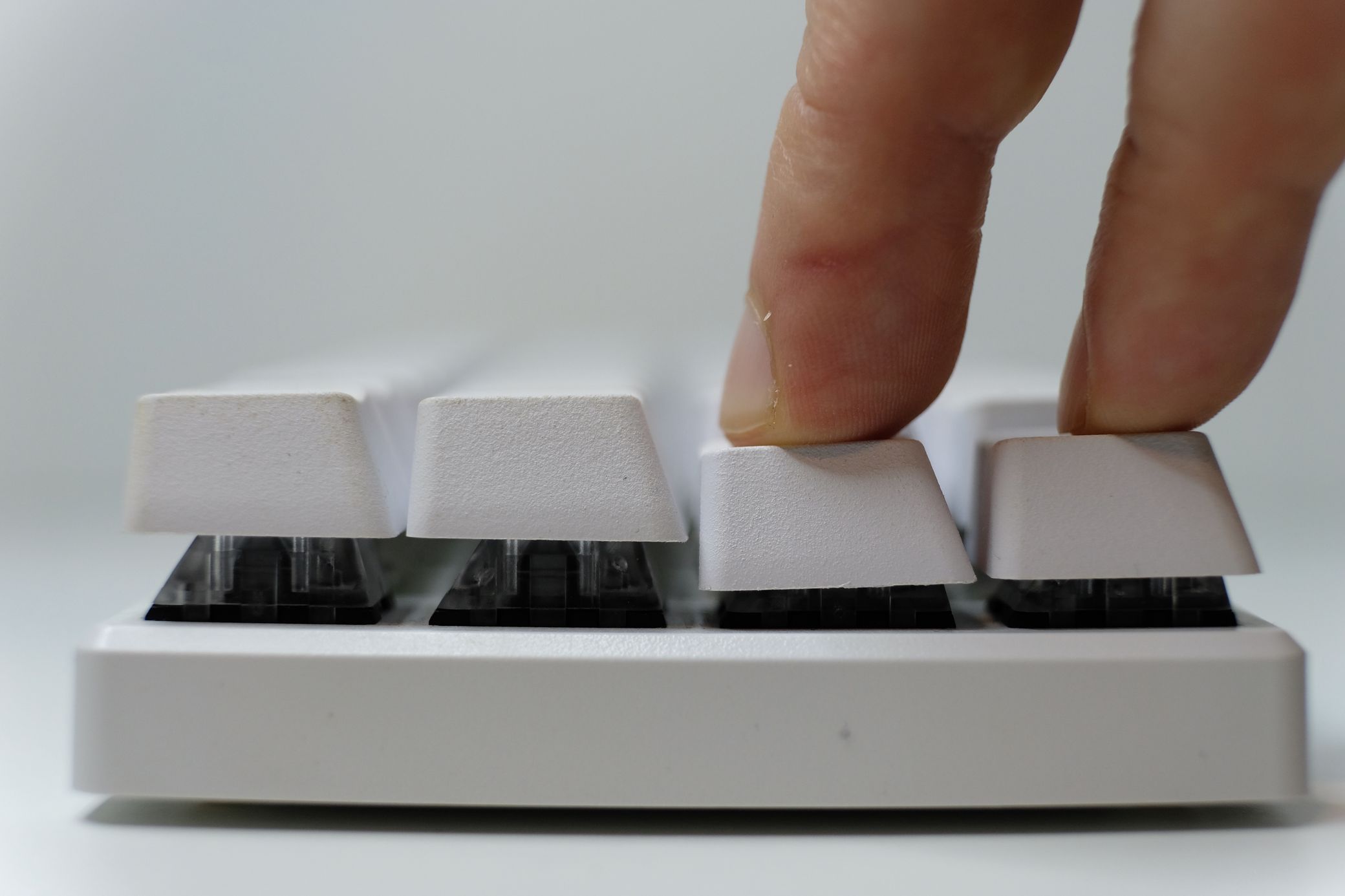
Finding the right O rings can transform your mechanical keyboard. Silent O rings reduce noise and enhance typing comfort. Here are the best options available.
Budget-friendly Options
Quality doesn’t have to break the bank. Here are some affordable O rings that deliver great performance:
These options offer excellent noise reduction without costing too much. They are easy to install and durable.
Premium Choices
For those wanting top-tier performance, consider these premium O rings:
These O rings provide superior noise dampening. They are made from high-quality materials. Enjoy a quieter typing experience with these options.
Real-world Testing
Testing O rings for mechanical keyboards helps measure their effectiveness. This process shows how well they reduce noise. Real-world testing provides clear insights for users.
Methodology
We conducted tests using various O ring brands. Each brand offers different materials and thickness levels. Here’s how we tested them:
- Tested on popular mechanical keyboard models.
- Used a sound meter to measure noise levels.
- Checked user comfort during typing sessions.
- Noted key feel before and after O ring installation.
Each O ring was installed carefully. We made sure to follow the manufacturer’s instructions.
Maintaining Your Silent Setup
Keeping your mechanical keyboard quiet requires ongoing care. Regular maintenance ensures your O-rings last longer. It also keeps your setup clean and functional. Follow these tips to maintain your silent experience.
Cleaning Tips
Regular cleaning helps improve the performance of your keyboard. Dust and debris can affect the sound quality. Here are some effective cleaning tips:
- Dusting: Use a soft brush to remove dust.
- Keycap removal: Gently pull off keycaps for deeper cleaning.
- Wipe down: Use a microfiber cloth with mild cleaner.
- Compressed air: Blow out debris between key switches.
Long-term Care
Long-term care maintains the silent quality of your keyboard. Pay attention to these aspects:
| Care Aspect | Recommendation |
|---|---|
| O-ring inspection | Check regularly for wear or damage. |
| Humidity control | Keep the keyboard in a dry environment. |
| Storage | Store in a dust-free area when not in use. |
Following these tips can extend the life of your silent setup. Enjoy typing with ease and quiet!
Frequently Asked Questions
What Are O Rings For Mechanical Keyboards?
O rings are small rubber or silicone rings used to dampen keystrokes. They reduce noise and provide a softer landing for key presses. This enhances the typing experience by minimizing sound and vibration. O rings are an affordable and effective solution for quieter mechanical keyboards.
How Do O Rings Silence A Keyboard?
O rings silence a keyboard by absorbing the impact of key presses. When a key is pressed, the ring cushions the bottoming out sound. This significantly reduces noise, making your typing quieter. They also prevent keycaps from hitting the switch too hard, enhancing overall typing comfort.
Are O Rings Easy To Install?
Yes, O rings are easy to install on mechanical keyboards. Simply remove the keycaps and slide the rings onto the key switches. This process usually takes just a few minutes. You don’t need specialized tools or skills, making it accessible for everyone.
What Size O Rings Do I Need?
The size of O rings depends on your key switches. Most mechanical keyboards use 40A to 70A durometer O rings. Common inner diameters are 4mm or 5mm, but always check your keyboard specifications. Choosing the right size ensures optimal dampening and performance.
Conclusion
Choosing the right O rings can significantly enhance your typing experience. They reduce noise and improve overall feel. Consider factors like material and size for the best fit. Investing in quality O rings not only silences your keyboard but also elevates your productivity.
Enjoy the tranquility of a quieter workspace today!


