


If you’re serious about gaming, your keyboard can make all the difference. The Roccat Vulcan TKL Pro is designed to give you speed, precision, and comfort like never before.
Whether you’re aiming for faster reactions or a sleek setup, this keyboard could be the upgrade you’ve been waiting for. Keep reading to discover what makes the Vulcan TKL Pro stand out and how it can level up your gaming experience.

- OPTICAL SPEED, LINEAR MECHANICAL FEEL – ROCCAT’s new linear Titan Switch Optical actuates at the speed of light for a wh…
- TENKEYLESS FORM FACTOR – This smaller factor allows for a larger pad and a bigger range of mouse movements, improving yo…
- ADVANCED ANTI-GHOSTING – Technology optimized for gamers to ensure every key stroke of the most-used keys is registered …
Design And Build Quality
The Roccat Vulcan TKL Pro is known for its sleek design. Its compact structure makes it a favorite among users. Built with premium materials, it promises durability. The keyboard also features vibrant RGB lighting effects.
Compact Tkl Layout
The TKL, or tenkeyless, design removes the number pad. This makes the keyboard smaller and easier to fit on desks. Despite its size, it retains all essential keys. Gamers and typists enjoy the extra space for mouse movement.
- More room for mouse movements
- Fits easily in small spaces
- Maintains all essential keys
Premium Materials
The keyboard uses high-quality materials in its construction. This choice ensures durability and a premium feel. Aluminum top plate adds strength and style. Users appreciate the solid build and sleek look.
- Durable aluminum top plate
- Solid build quality
- Stylish and sleek appearance
Rgb Lighting Effects
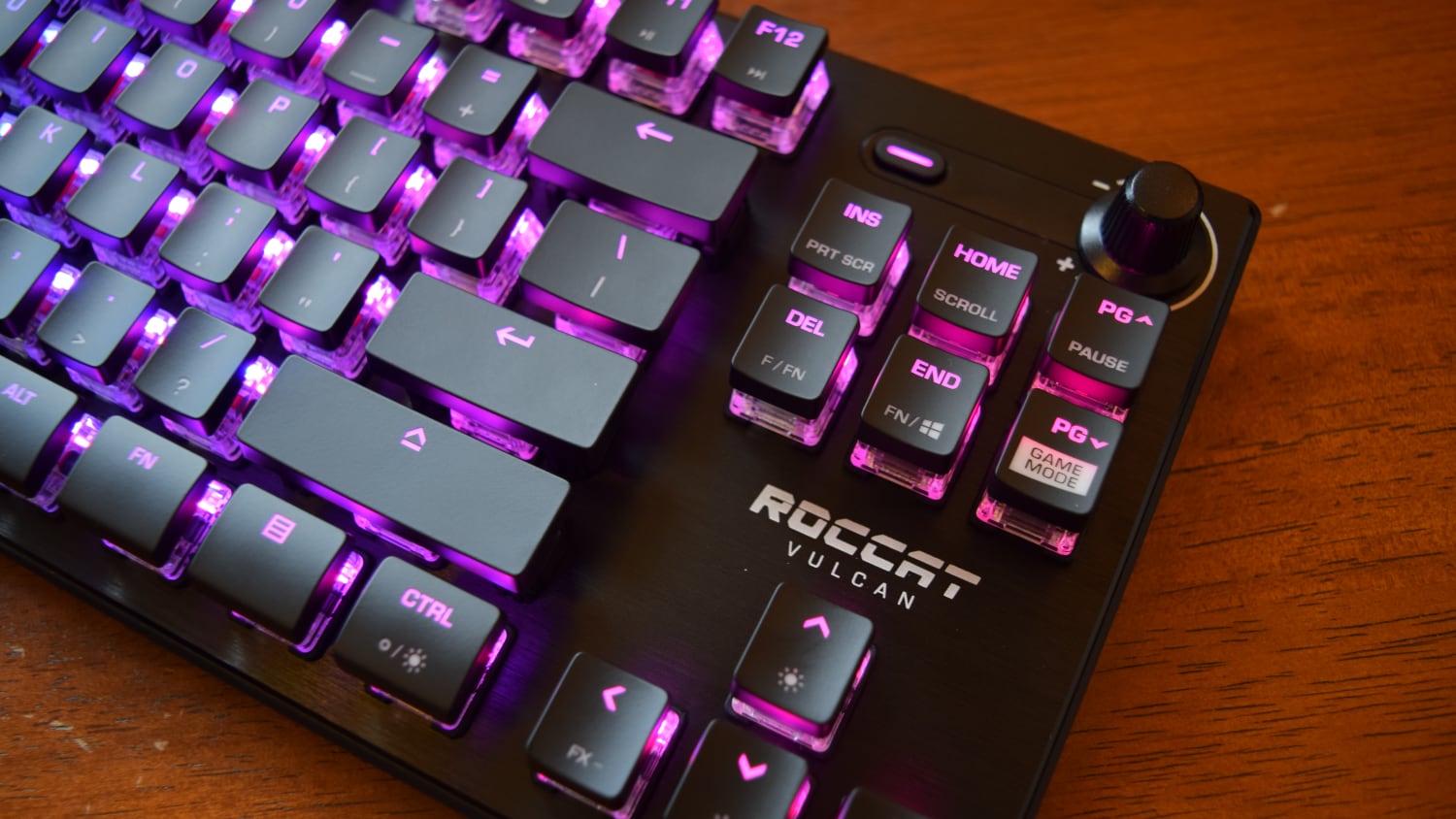
The Roccat Vulcan TKL Pro features customizable RGB lighting. Each key can display vibrant colors. Users can select different lighting modes. This enhances the gaming experience and personalizes the keyboard.
- Customizable per-key lighting
- Multiple lighting modes available
- Enhances gaming atmosphere
Switches And Key Performance
The Roccat Vulcan Tkl Pro uses advanced switches designed for fast response. These switches help improve typing speed and accuracy. The keyboard offers a comfortable and precise keypress experience. Understanding the switch technology and key feedback is important. It helps users know what to expect in daily use. The keyboard also promises long-lasting durability for heavy use.
Titan Switch Optical Technology
The Vulcan Tkl Pro features Titan Switch Optical Technology. It uses light-based actuation instead of physical contact. This reduces input lag and increases accuracy.
- Faster key response due to optical actuation
- Less debounce delay for smooth performance
- Consistent keystroke registration
- Reduced wear on mechanical parts
Key Travel And Feedback
Key travel distance affects typing feel and speed. The Vulcan Tkl Pro has a 3.6 mm key travel. This distance balances speed and comfort for most users.
| Feature | Specification |
|---|---|
| Key Travel Distance | 3.6 mm |
| Actuation Point | 1.4 mm |
| Feedback Type | Light tactile |
| Switch Type | Optical Mechanical |
Users get a light tactile feedback. It helps confirm each keypress without fatigue. The switch design supports rapid repeated presses.
Durability And Lifespan

The Roccat Vulcan Tkl Pro is built to last. Its switches have a high lifespan rating. This suits users who type or play frequently.
- Rated for up to 100 million keystrokes
- Optical actuation reduces physical wear
- Sturdy build materials enhance durability
- Consistent performance over time
Customization Options
The Roccat Vulcan TKL Pro offers many ways to adjust it. You can make changes to fit your needs. Custom settings help improve your experience. Each feature works with the keyboard’s software. This lets you change keys, lighting, and profiles. The options give you control over how it works.
Software Integration
The Roccat Swarm software controls the keyboard’s functions. It connects the keyboard to your PC. You can update firmware and adjust settings easily. The software supports quick setup. You can save your changes and switch between them fast. It works smoothly with Windows systems.
Macro And Profile Settings
Macros let you record key sequences. Profiles save your settings for different games or tasks. You can switch profiles with one key.
- Create custom macros for complex commands
- Save multiple profiles for different uses
- Assign macros to any key you want
- Switch profiles without software open
- Backup and restore profiles easily
Lighting Customization
The keyboard has RGB lighting with many effects. You can change colors and patterns using the software. Each key supports separate lighting control.
| Lighting Effect | Description |
| Wave | Colors flow across the keyboard |
| Ripple | Light spreads from key press |
| Reactive | Keys light up when pressed |
| Static | Single color on all keys |
| Breathing | Lights fade in and out slowly |
Connectivity And Compatibility
The Roccat Vulcan TKL Pro offers solid connection options for reliable use. This keyboard works with many devices and has useful port features.
Wired Connection Features
The keyboard connects through a USB Type-C cable. This provides a stable and fast connection. mThe cable is detachable, making it easy to carry and replace if needed.
Compatibility With Platforms
The Vulcan TKL Pro works with Windows, macOS, and Linux.
- Windows 7 and later versions
- macOS 10.12 or newer
- Linux distributions with USB support
- Compatible with most gaming consoles via USB
Usb Passthrough And Ports
This keyboard includes a USB 3.0 passthrough port. It allows you to connect other devices easily.
| Port Type | Location | Purpose |
|---|---|---|
| USB 3.0 Passthrough | Right side of keyboard | Connect mouse, headset, or USB drive |
| USB Type-C | Back of keyboard | Main wired connection to PC or console |
Gaming Experience
The Roccat Vulcan TKL Pro is designed for serious gamers. It delivers fast and precise responses to every key press. This keyboard improves your play with features that support long sessions and complex commands.
Response Time And Accuracy
The Roccat Vulcan TKL Pro uses fast optical switches. These switches reduce input delay and improve accuracy.
- Optical switches register keystrokes in milliseconds.
- Each key has a clear, crisp actuation point.
- Lower debounce delay means fewer missed inputs.
- Consistent key feel helps with precise gameplay.
Comfort For Long Sessions
The keyboard layout is compact and ergonomic. It fits well on any desk and reduces wrist strain.
| Comfort Feature | Benefit |
|---|---|
| Low-profile keycaps | Less finger fatigue during long gaming |
| Soft-touch coating | Comfortable surface for hours |
| Adjustable feet | Custom typing angle to reduce strain |
| Compact TKL design | More space for mouse movement |
Anti-ghosting And N-key Rollover
The Roccat Vulcan TKL Pro supports full N-Key rollover. This means it can detect many simultaneous key presses.
Key features include:
- Anti-ghosting prevents wrong keys from triggering.
- N-Key rollover allows pressing many keys at once.
- Perfect for complex moves or combos.
Comparison With Competitors
The Roccat Vulcan TKL Pro is a popular tenkeyless keyboard. It competes with other TKL keyboards in the market. This comparison looks at how it performs, its price, and what makes it unique compared to others.
Performance Vs Other Tkl Keyboards
The Vulcan TKL Pro offers fast and accurate key response. It uses Titan switches that feel smooth and tactile. mCompared to other TKL keyboards, it has a solid build and low latency. Some competitors use different switches that may feel softer or louder.
- Roccat Titan switches provide quick actuation
- Durable aluminum frame improves stability
- Consistent key spacing for comfortable typing
- RGB lighting with clear keycaps enhances visibility
- Low input delay suits fast typing and gaming
Price And Value
The Roccat Vulcan TKL Pro is priced in the mid to high range for TKL keyboards. It offers good value for its features. Some cheaper keyboards may lack the same build quality or switch type. Expensive models might add extra features like wireless or macro keys.
Unique Selling Points
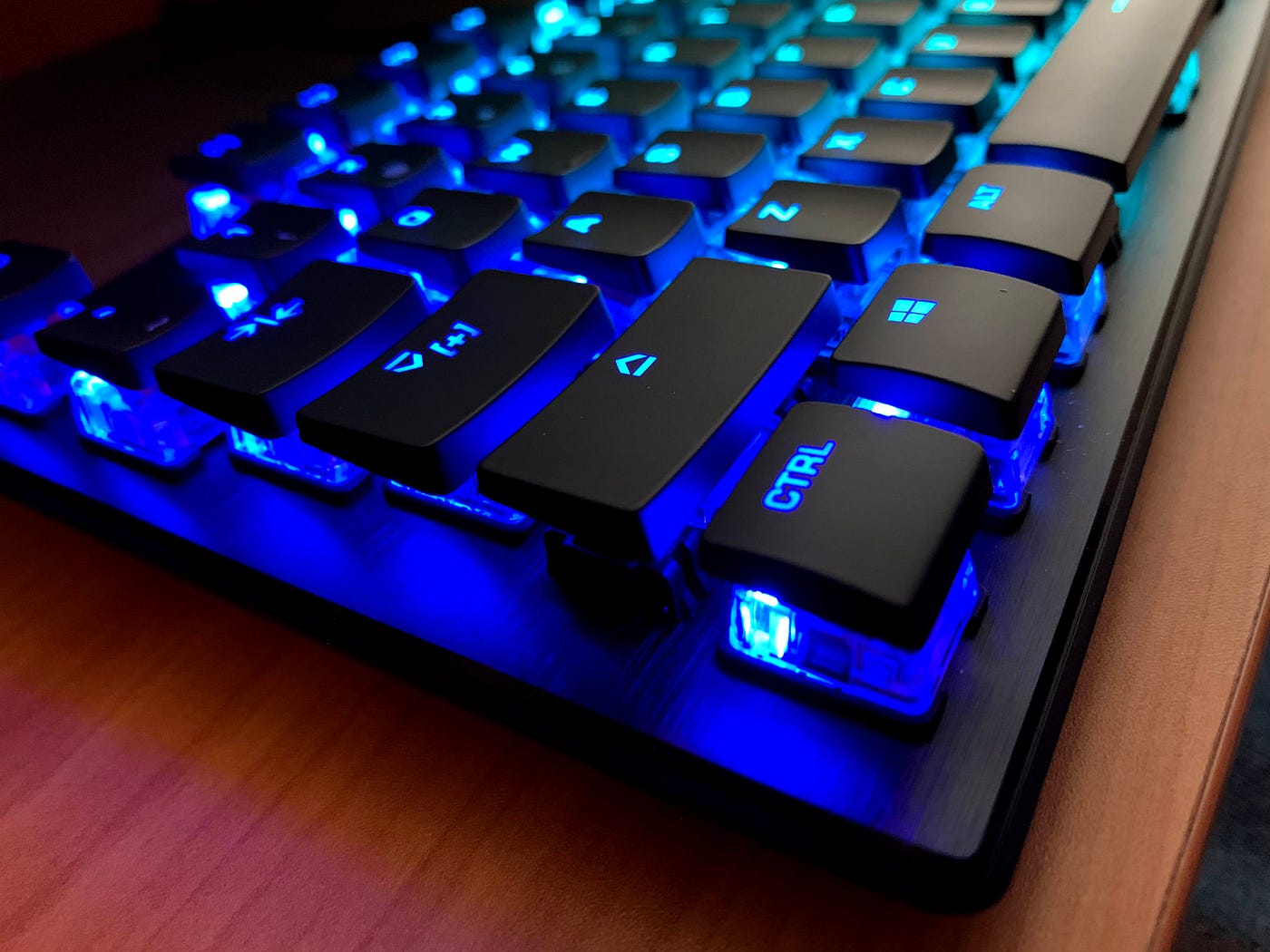
The Vulcan TKL Pro stands out with its Titan switches. These offer a crisp and fast key press. Its design uses transparent keycaps that let RGB light shine clearly. The keyboard is also very thin but sturdy.
- Titan mechanical switches with fast actuation
- Clear keycaps for bright RGB lighting
- Lightweight and slim aluminum body
- Software support for custom lighting effects
- Compact tenkeyless layout saves desk space
User Feedback And Reviews
The Roccat Vulcan TKL Pro has drawn much attention from users worldwide. Feedback highlights both strengths and areas for improvement. This section shares what users say about their experience with this keyboard model.
Positive Highlights
Many users enjoy the keyboard’s fast response and sturdy design. The keys feel comfortable during long typing sessions.
- Light and tactile key switches
- Strong aluminum frame
- Customizable RGB lighting effects
- Compact tenkeyless layout saves desk space
- Good build quality with low noise keys
Common Criticisms
Some users report issues that affect daily use. The keyboard may not suit everyone’s preferences or setups.
| Issue | Description |
| Keycap Texture | Some find it too smooth and slippery |
| Software | Roccat’s software can be confusing to use |
| Price | Higher cost compared to similar models |
| Macro Functionality | Limited macro options for advanced users |
Community And Support
The Roccat user community offers help and advice. Many share tips on setup and troubleshooting.
Official support channels include:
- Roccat website help center
- User forums and discussion groups
- Social media support pages
- Firmware updates and guides
Frequently Asked Questions
What Are The Key Features Of Roccat Vulcan Tkl Pro?
The Roccat Vulcan TKL Pro offers Titan Optical switches, durable aluminum build, and RGB lighting. It features a tenkeyless design for compact use. The keyboard delivers fast response and tactile feedback for gaming and typing.
How Does The Titan Optical Switch Improve Performance?
Titan Optical switches use light-based actuation for faster input response. They provide a smooth, precise, and tactile feel. This switch reduces debounce delay, enhancing gaming speed and accuracy significantly.
Is The Roccat Vulcan Tkl Pro Suitable For Gaming?
Yes, it is designed specifically for gaming with fast switches and customizable RGB lighting. Its compact layout offers better mouse movement space. It supports anti-ghosting and N-key rollover for accurate keystrokes.
Can I Customize The Rgb Lighting On This Keyboard?
Roccat Vulcan TKL Pro supports full RGB customization via Roccat Swarm software. Users can create lighting profiles, sync effects, and adjust brightness. This adds a personalized aesthetic to your gaming setup.
Conclusion
The Roccat Vulcan TKL Pro offers a solid typing and gaming experience. Its design feels comfortable and responsive. Keys are quiet but give good feedback. The lighting adds style without being too bright. It fits well on small desks and travels easily.
Users can customize settings with simple software. This keyboard suits those who want quality without extra bulk. It balances performance and look in a neat package. A smart choice for daily use or play.


