


If you spend hours working on detailed projects or designing in 3D, you know how important the right tools are. The Swiftpoint Z2 is more than just a mouse—it’s built to boost your productivity and take your 3D design work to the next level.
Imagine having a device that feels natural in your hand, responds instantly, and gives you precise control over every movement. This isn’t just about comfort; it’s about transforming how you work and create. Keep reading to discover how the Swiftpoint Z2 can change your workflow and make complex tasks easier than ever.

Swiftpoint Z2
This mouse not only looks good but also feels great in the hand. It is designed to enhance your workflow and comfort.
Design And Build
Ergonomics And Comfort
The Swiftpoint Z2 is shaped to fit naturally in your hand. It reduces strain during long hours of use, supporting your hand and wrist. Its ergonomic design helps in maintaining a relaxed grip. This ensures comfort during extended periods of work.
- Curved shape fits the palm
- Buttons are easily reachable
- Adjustable tilt for personal comfort
Materials And Durability
High-quality materials are used in the Swiftpoint Z2. This includes durable plastics and smooth surfaces that withstand daily wear. The build quality ensures the mouse lasts long. It can handle frequent use without losing its efficiency or comfort.
| Material | Durability |
| Plastic | High resistance to wear |
| Metal components | Sturdy and robust |
Portability Features
The Swiftpoint Z2 is compact, making it easy to carry. It fits well in laptop bags or backpacks for on-the-go use. Its lightweight design ensures it doesn’t add much weight. This makes it ideal for professionals who travel frequently.
- Compact size for easy transport
- Lightweight design for convenience
- Detachable cable for storage
Core Features
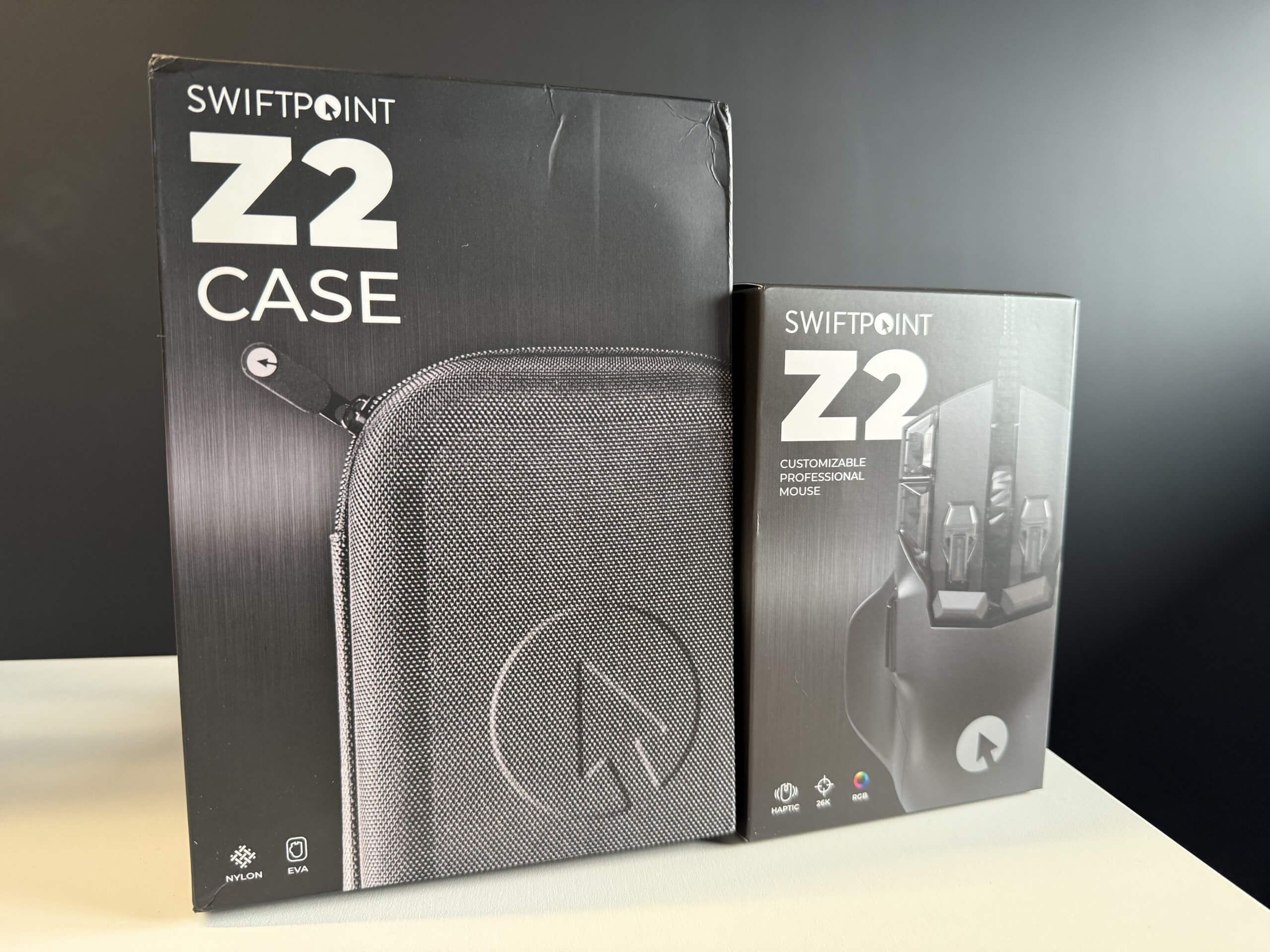
The Swiftpoint Z2 is designed for productivity and 3D design tasks. It offers precise control and smooth operation. This mouse combines unique features to improve workflow and comfort during long work sessions.
Unique Button Layout
The Swiftpoint Z2 has many buttons placed for easy reach. This layout lets users work faster with fewer hand moves. Buttons include standard clicks, extra side buttons, and a dedicated click wheel button for quick tasks.
- Primary left and right buttons
- Two side buttons for shortcuts
- Clickable scroll wheel with tilt support
- Additional finger rest buttons for gestures
Scroll And Gesture Controls
Scroll controls on the Z2 are smooth and precise. The wheel supports vertical and horizontal scrolling. Gesture controls allow quick navigation and tool changes. You can assign gestures to common actions.
- Vertical and horizontal scroll wheel
- Tap and swipe gestures for shortcuts
- Easy zooming and panning in 3D design apps
- Customizable gesture sensitivity
Customizability Options
The Z2 allows users to change button functions to fit their needs. This helps create a personal workflow. Settings can be saved and switched for different apps. This makes it easier to work in multiple programs.
- Reassign buttons with software
- Create profiles for different tasks
- Adjust pointer speed and scroll rate
- Customize gesture commands
Performance In Productivity
The Swiftpoint Z2 mouse is designed to improve work speed and precision. It fits well in busy office settings and creative studios. This mouse helps users manage tasks faster while keeping control over details. It supports various software and workflows.
Speed And Accuracy
The Swiftpoint Z2 offers quick response times that match fast hand movements. Its sensor tracks smoothly on many surfaces. Users can work precisely on small details thanks to the fine control it provides. This reduces mistakes and saves time.
Multi-application Workflow
This mouse supports switching between different software easily. It works well with office programs and design tools. Users can move from writing documents to editing 3D models without changing devices. This keeps work flowing smoothly.
Shortcut Integration
The Swiftpoint Z2 allows users to set custom shortcuts on buttons. This saves time on common commands and actions. Shortcut keys can be programmed for different apps, making complex tasks easier to perform. This helps increase daily output.
3d Design Capabilities
The Swiftpoint Z2 is designed to support 3D design work. It offers tools that make modeling easier and more precise. This mouse helps designers work smoothly in 3D spaces. It improves control and speed during design tasks.
Precision In 3d Modeling
The Swiftpoint Z2 provides high accuracy for 3D modeling. Its sensor tracks tiny movements well, allowing fine detail work. Its design reduces hand fatigue, which helps keep steady control over long design sessions.
Compatibility With Design Software
The Swiftpoint Z2 works with many popular 3D design programs. It supports software like Blender, AutoCAD, and SolidWorks. Its buttons can be programmed to match software shortcuts, making workflow faster and easier.
Enhanced Navigation Tools
The mouse includes special controls for moving through 3D spaces. These tools help zoom, pan, and rotate models smoothly.
- Ergonomic scroll wheel for easy zooming
- Custom buttons for quick access to navigation commands
- Touch-sensitive areas for precise model rotation
User Experience

he Swiftpoint Z2 is designed for productivity and 3D design users. It offers precise control and comfort for long work sessions. This mouse focuses on improving how users interact with software and models. Its design aims to reduce hand strain and increase efficiency.
Learning Curve
The Swiftpoint Z2 has a gentle learning curve. New users can start working without much delay. Its buttons and gestures are easy to understand. Some features may take time to use smoothly but are helpful once learned.
User Feedback And Reviews
Many users praise the Swiftpoint Z2 for its comfort and precision. It fits well in the hand and helps with detailed work. Some users mention a short adjustment period. Most find the extra buttons useful for shortcuts and commands.
- Comfortable for long hours
- High accuracy for design tasks
- Easy to customize buttons
- Initial learning needed for gestures
Support And Updates
Swiftpoint provides regular software updates for the Z2 mouse. These updates improve performance and add new features. Customer support is available through email and online resources. Users can find guides and troubleshooting tips easily.
Comparisons With Other Mice
The Swiftpoint Z2 is a mouse designed for both productivity and 3D design. It offers features that differ from many other mice on the market. Comparing it to other mice helps understand its strengths and weaknesses. This comparison looks at traditional productivity mice, specialized 3D design mice, and the value for money the Swiftpoint Z2 offers.
Traditional Productivity Mice
Traditional productivity mice focus on comfort and basic functions. They often have simple designs and standard buttons. These mice work well for everyday office tasks but lack advanced features. The Swiftpoint Z2 has a more ergonomic shape and extra buttons. It supports gestures and has higher precision. This can improve workflow and reduce hand strain during long use.
- Traditional mice usually have 3 to 5 buttons
- Limited gesture support
- Standard optical sensors
- Focus on comfort for long hours
Specialized 3d Design Mice
Specialized 3D design mice offer features for complex modeling and navigation. They often include extra dials and buttons for precise control. These mice fit professional designers who need detailed input.
The Swiftpoint Z2 combines 3D design features with productivity tools. It has tilt and twist functions and customizable buttons. This makes it suitable for both 3D work and daily tasks.
- Specialized mice have multiple programmable buttons
- Include 3D navigation controls like rings or knobs
- High precision sensors for detailed work
- Designed mainly for design professionals
Value For Money
The Swiftpoint Z2 is priced higher than basic mice but lower than some specialized models. It offers a mix of features for both productivity and design. This can save money by avoiding multiple devices.
Users get a versatile mouse that works well for different tasks. The build quality and feature set justify the price for many users. Choosing the Z2 depends on how much you need combined functions.
- Higher cost than simple productivity mice
- Lower cost than some 3D design mice
- Offers multiple functions in one device
- Good build quality and comfort
Battery Life And Connectivity
The Swiftpoint Z2 is designed for long use without frequent charging. Its connectivity options give you flexible ways to connect to your devices. Understanding battery life and connectivity helps you get the most from this mouse in daily tasks and 3D design work.
Wireless Performance
The Swiftpoint Z2 offers smooth wireless performance with low latency. It works well in crowded wireless environments. You can expect quick response times and steady connections during use, which is important for detailed design work.
Charging Options
This mouse has built-in rechargeable batteries. It charges fast and holds power for hours.
- USB-C charging cable included
- Quick charge offers up to 6 hours in 10 minutes
- Full charge lasts up to 3 days of normal use
Bluetooth And Usb Compatibility
The Swiftpoint Z2 connects via Bluetooth and USB receiver. This gives you more ways to use it with different devices.
- Supports Bluetooth 4.0 and higher
- Works with Windows, Mac, and some tablets
- USB receiver for devices without Bluetooth
Tips To Maximize Efficiency
The Swiftpoint Z2 mouse is designed for productivity and 3D design tasks. Using it well can save time and effort. Here are some simple tips to help you get the most from your Swiftpoint Z2 in daily work.
Customization Tricks
Customize the buttons on your Swiftpoint Z2 to match your tasks. This can make your work faster. Change the sensitivity settings to fit your hand movements. Adjusting DPI can help with precision.
- Assign shortcuts to side buttons for quick access
- Set DPI levels for different design details
- Use software to create profiles for various programs
Workflow Integration
Use the Swiftpoint Z2 in ways that fit your usual work steps. This helps keep your flow smooth. Combine the mouse with keyboard shortcuts for faster control. Use it with design apps to speed up your work.
- Link mouse buttons with common software commands
- Switch between apps quickly using mouse profiles
- Practice using gestures for zoom and rotate features
Maintenance And Care
Keep your Swiftpoint Z2 clean to ensure smooth movement and button response. Regular care extends its life. Check the battery and charge it before it runs out. Protect the mouse from drops and spills.
- Wipe the mouse with a soft cloth to remove dust
- Store it in a safe place when not in use
- Update the mouse software to fix bugs and improve functions

Frequently Asked Questions
What Makes The Swiftpoint Z2 Ideal For Productivity?
The Swiftpoint Z2 combines ergonomic design with customizable buttons. It enhances workflow with precision and speed. Its unique grip reduces hand fatigue, boosting long work sessions.
How Does Swiftpoint Z2 Support 3d Design Work?
Swiftpoint Z2 offers 6 degrees of freedom for 3D navigation. It allows intuitive control in 3D modeling software. This mouse improves accuracy in detailed design tasks.
Is The Swiftpoint Z2 Compatible With Major Software?
Yes, it supports Windows and macOS platforms. It integrates smoothly with popular productivity and 3D design apps. Customizable buttons adapt to different software functions.
What Are The Key Features Of The Swiftpoint Z2 Mouse?
The mouse features a rechargeable battery, high DPI sensor, and programmable buttons. It supports gesture controls for quick commands. Its compact size makes it travel-friendly.
Conclusion
The Swiftpoint Z2 blends comfort and precision for daily tasks. It suits both productivity work and 3D design projects well. Its unique shape reduces hand strain over long hours. Buttons and controls are easy to reach and use. This mouse helps users work faster and with more accuracy.
A solid choice for those who want reliable performance. Simple, effective, and designed to support your workflow. Worth considering if you need a versatile mouse for varied tasks.


