


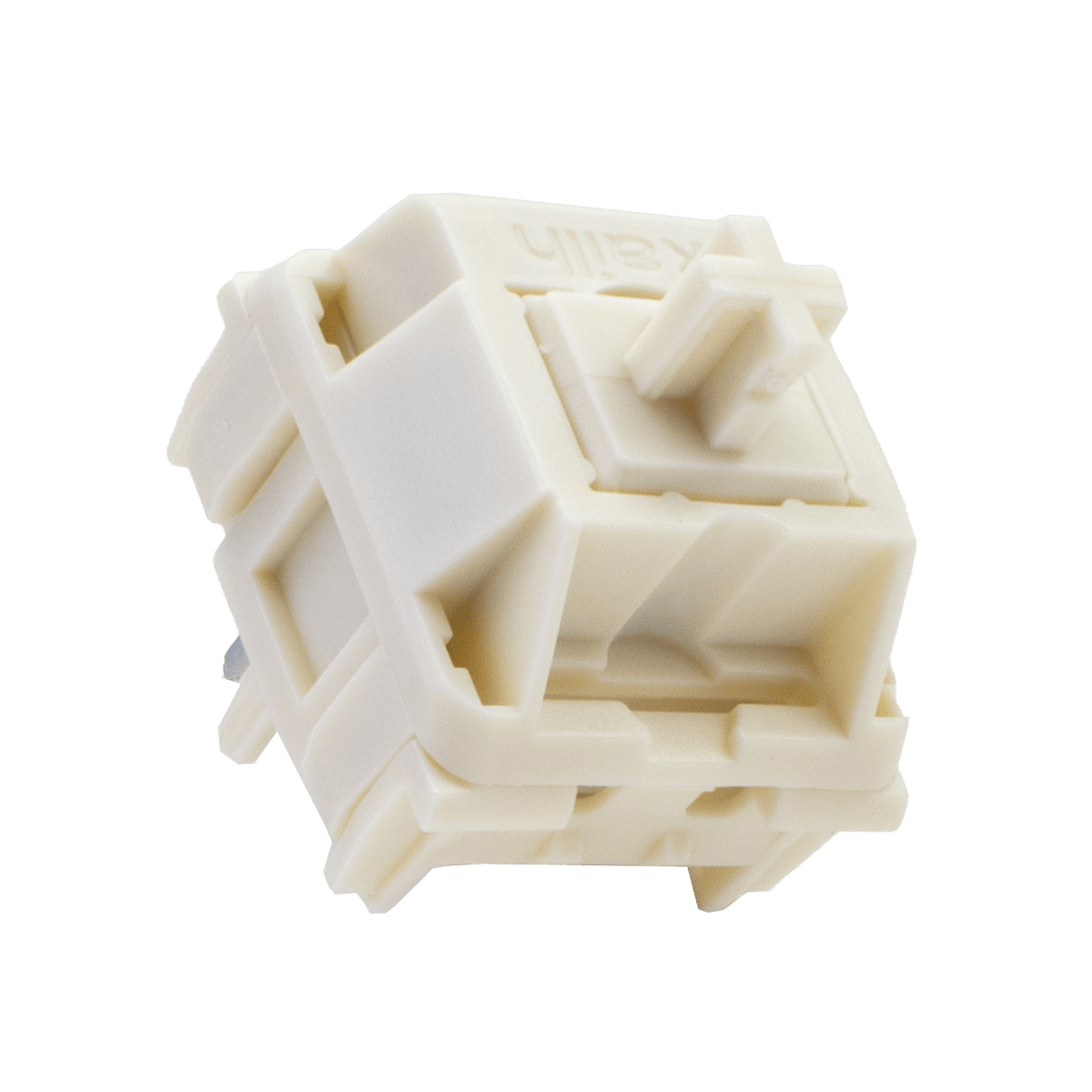
If you’re looking to upgrade your keyboard experience, Novelkeys Cream switches might be exactly what you need. These switches are known for their smooth feel and satisfying sound that can make typing or gaming more enjoyable.
| Switch Type: | Linear |
| Mount Type: | PCB Mount |
| Travel Distance: | 2.0mm Actuation | 4.0mm Total |
| Force: | 55g Operating | 70 Bottom-out |
| Price: | ~£9.70 (10 pieces) |
Whether you want a quieter desk setup or crave that buttery-smooth keypress, Novelkeys Cream can change the way you type. Keep reading to discover what makes these switches stand out and why they could be the perfect addition to your keyboard collection.
What Makes Novelkeys Cream Unique
Novelkeys Cream is a popular mechanical keyboard switch. It stands out for its smooth feel and strong build quality. This switch offers a different typing experience compared to many others. Its unique design and materials make it special.
Material Composition
Novelkeys Cream switches use a special plastic called POM for the stem. POM is very smooth and hard, which helps reduce friction. The housing is made from a nylon blend that adds durability. This combination makes the switch last longer and feel better while typing.
- POM stem for smooth movement
- Nylon blend housing for strength
- Materials reduce noise and wear
Design Features
The switch has a linear design, which means no tactile bump or click. This makes pressing keys smooth and quiet. Its stem shape and housing fit tightly together. This reduces wobble and improves stability when typing fast.
- Linear switch with no bump or click
- Close stem and housing fit for less wobble
- Designed for smooth and quiet typing
Smoothness And Sound Profile
Novelkeys Cream switches are popular for their smooth operation and distinct sound. These features make them a favorite among keyboard enthusiasts. Understanding their typing feel and acoustic characteristics can help you decide if they are right for your keyboard. Let’s explore these aspects in detail.
Typing Feel
Novelkeys Cream switches are known for their smooth keystrokes. This smoothness comes from the high-quality materials used in their construction. These switches do not have any bumps or clicks. This makes typing feel consistent and satisfying. Many users enjoy the buttery feel they provide.
- Linear switch type
- Consistent keystroke action
- Made from durable materials
Acoustic Characteristics
The sound of Novelkeys Cream switches is unique. They produce a deep, thocky sound that many find pleasant. This sound profile is quieter than clicky switches. It’s ideal for those who prefer a softer typing noise.
| Sound Type | Deep and thocky |
| Noise Level | Quieter than clicky switches |
| Ideal For | Quiet environments |
Comparison With Other Switches
Novelkeys Cream switches are known for their smooth feel and unique sound. Comparing them with other switches helps users choose the right one. This comparison looks at how Novelkeys Cream performs and lasts compared to popular mechanical switches.
Performance Against Popular Switches
Novelkeys Cream switches have a smooth linear action. They offer less scratchy feel than many other switches. Their sound is deeper and more muted than Cherry MX Reds or Gateron Yellows. They require a medium force to press, making typing comfortable.
- Cherry MX Reds: lighter but less smooth
- Gateron Yellows: smoother but louder
- Kailh Box Reds: clickier and less smooth
- Novelkeys Cream: smoothest and quieter
Durability And Lifespan
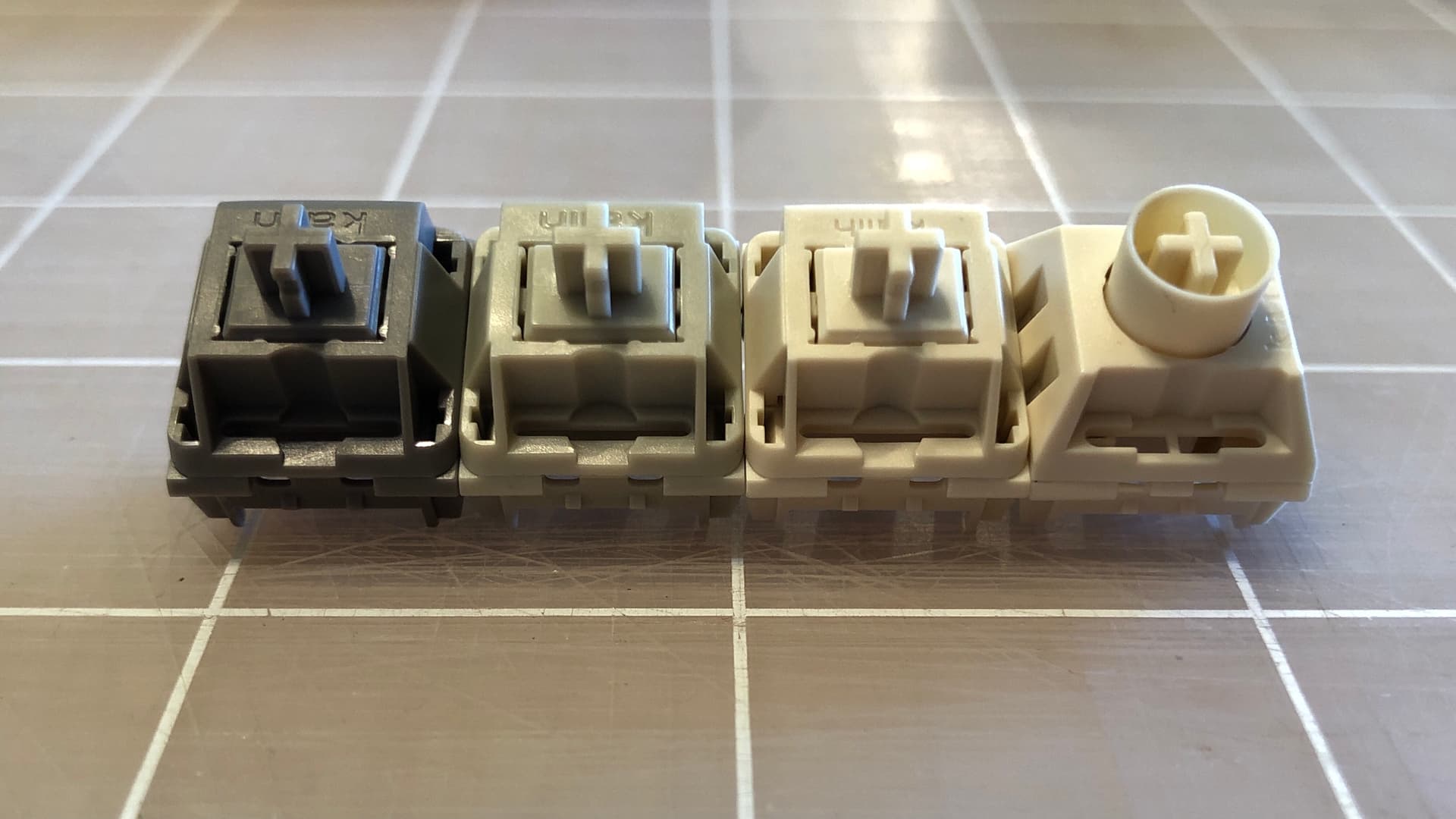
Novelkeys Cream switches use POM housing and stems. This material reduces friction and wear. bThey last about 70 million keystrokes. This is longer than many common switches, which last about 50 million.
| Switch | Material | Lifespan (Million Keystrokes) |
|---|---|---|
| Novelkeys Cream | POM | 70 |
| Cherry MX Red | Plastic | 50 |
| Gateron Yellow | Plastic | 50 |
| Kailh Box Red | Plastic | 50 |
Installation Tips
Installing Novelkeys Cream switches requires care and patience. Proper steps help avoid damage and ensure smooth typing. Follow the tips below to prepare your keyboard and make necessary modifications. This will improve your experience with these switches.
Preparing Your Keyboard
Check your keyboard’s compatibility with Novelkeys Cream switches before installation. Make sure the switches fit the sockets and pins properly.
- Remove keycaps gently using a keycap puller.
- Clean the keyboard plate and PCB to remove dust and debris.
- Inspect the switch sockets for bent pins or damage.
- Test fit one switch before installing all switches.
- Work in a static-free environment to protect your keyboard.
Lubrication And Modifications
Lubricating Novelkeys Cream switches can reduce noise and improve smoothness. Use the right type of lubricant and apply it carefully.
| Part | Recommended Lubricant | Notes |
|---|---|---|
| Slider rails | Thin Krytox 205g0 | Apply a thin coat evenly on both sides |
| Spring | Thin Krytox 105 | Lightly coat to reduce spring noise |
| Stem housing | Optional – light grease | Only if extra smoothness is needed |
Modifications like filming or spring swapping can also change feel and sound. Test changes on a few switches before full installation.
Best Keyboard Builds For Cream Switches
Novelkeys Cream switches offer a smooth and creamy typing experience. They work well in many keyboard builds. Choosing the right keyboard and keycaps can improve their feel and sound. This guide covers keyboards that fit Cream switches and the best keycaps to use. You will find options to make your build both functional and nice to type on.
Compatible Keyboards
Cream switches use MX-style stems, so they fit most mechanical keyboards. Some keyboards work better with Creams due to build quality and sound.
- TKL and full-size boards with solid aluminum cases
- 75% and 65% compact keyboards for smaller setups
- Custom kits with hot-swap sockets for easy switch changes
- Boards with PCB-mounted stabilizers for less noise
- Keyboards supporting lubed switches to enhance smoothness
Optimal Keycap Choices
Keycaps affect typing feel and sound on Cream switches. Choose materials and profiles that match your style and typing needs.
| Material | Description | Why It Works |
|---|---|---|
| PBT | Durable and textured | Reduces shine and adds grip |
| ABS | Smoother and thinner | Enhances switch sound brightness |
| Thick keycaps | Heavier and solid | Dampens noise and adds depth |
| SA or MT3 Profile | High, sculpted shapes | Comfortable for long typing sessions |
| XDA or Cherry Profile | Low and flat | Faster keypress feel |

User Experiences And Reviews
Many users share their thoughts about Novelkeys Cream switches. These reviews come from different groups of users with unique needs. Below are insights from professional typists and the gaming community. They describe how these switches work for their tasks.
Professional Typists’ Feedback
Professional typists find Novelkeys Cream switches smooth and consistent. The sound is quiet but satisfying to press. Many say it helps reduce finger fatigue during long typing sessions.
- Keys feel stable and do not wobble.
- Typing speed improves with practice on these switches.
- The tactile feedback is soft and not sharp.
- Switch travel distance suits fast, accurate typing.
- Some users prefer pairing them with thick keycaps for better sound.
Gaming Community Insights
Gamers appreciate the smooth keystrokes and quick response of these switches. The quiet sound helps in shared gaming spaces. The switches’ durability stands out in heavy use.
| Feature | Feedback |
| Actuation Force | Light enough for fast key presses |
| Sound Level | Quiet, less distracting during play |
| Durability | Handles long gaming sessions without wear |
| Feel | Smooth and consistent keystrokes |
Frequently Asked Questions
What Are Novelkeys Cream Switches?
NovelKeys Cream switches are smooth, linear mechanical keyboard switches. They use a nylon housing and a unique stem design. This results in a silky typing experience with moderate spring resistance. They are popular among keyboard enthusiasts for their consistency and sound profile.
How Do Novelkeys Cream Switches Feel?
These switches provide a smooth, linear feel without tactile bumps. They have a medium actuation force, making typing comfortable and responsive. Their smoothness improves over time due to self-lubricating properties. Users often describe the sound as deep and satisfying.
Are Novelkeys Cream Switches Good For Gaming?
Yes, NovelKeys Cream switches are excellent for gaming. Their smooth linear action allows fast, consistent key presses. The moderate actuation force reduces finger fatigue during long sessions. Gamers appreciate their quiet but satisfying sound profile.
Can Novelkeys Cream Switches Be Modified Or Lubed?
Yes, they can be lubed for enhanced smoothness and sound. Many users apply custom lubes to improve feel and reduce scratchiness. Modding these switches is popular within the keyboard community to optimize performance and acoustics.
Conclusion
Novelkeys Cream offers a smooth and satisfying typing feel. Its unique design gives quiet and consistent keystrokes. Many users enjoy its durability and soft sound. The switch fits well in most mechanical keyboards. Choosing Novelkeys Cream can improve your typing comfort. It blends quality with a simple, clean experience. Give it a try to see how it feels. Small changes can make typing more enjoyable. This switch stands out in the mechanical keyboard world.


